Fire Department: PixVerse V5.6 Photo-to-Video Template
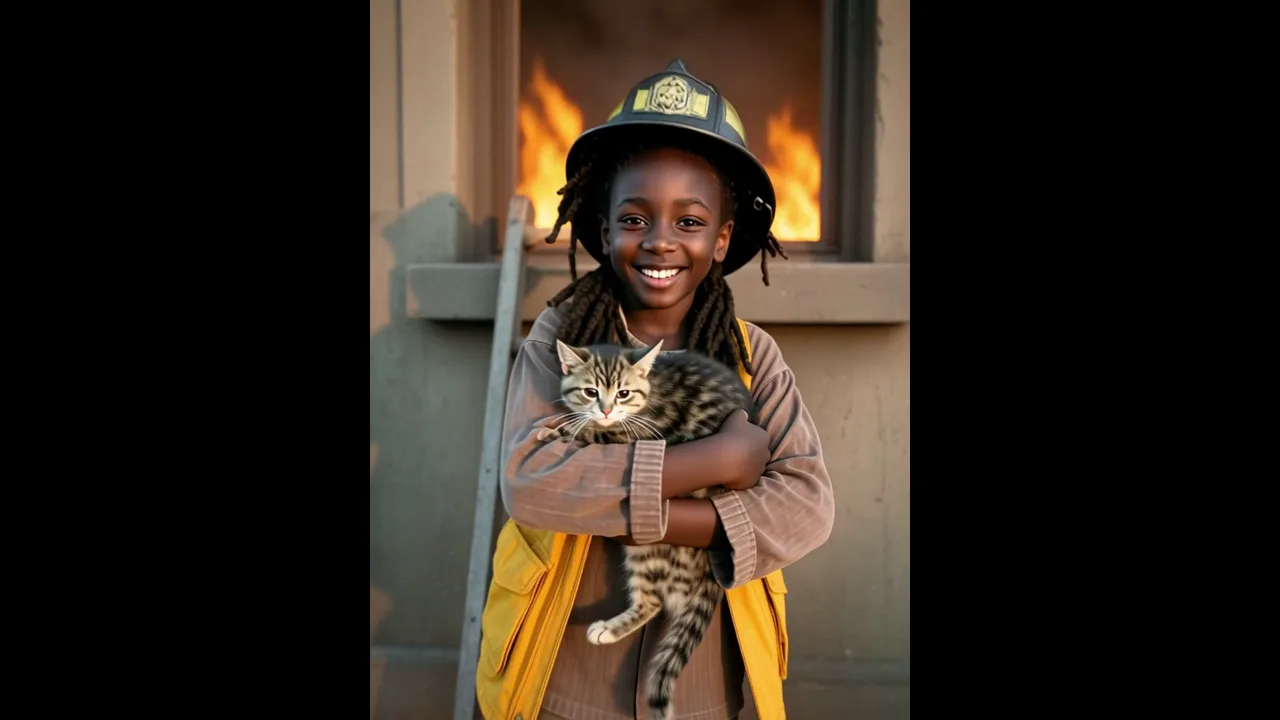
Turn one photo into a 8-second PixVerse video with Fire Department. Its official prompt is: “Have you always wanted to join the fire department and save kittens? Here is your chance.”
Have you always wanted to join the fire department and save kittens? Here is your chance.
See It In Action
How it works: Fire Department
PixVerse uses one uploaded photo and the locked official prompt to create this template effect. The result is a 8-second video made with PixVerse V5.6.
Field
| Field | Value |
|---|---|
| Template name | Fire Department |
| Template ID | 400274113186247 |
| Video | Video |
| Model | PixVerse V5.6 |
| Input | 1 photo |
| Duration | 8 seconds |
| Quality | 360p / 540p / 720p / 1080p |
| Audio | Included |
| Custom prompt | Off |
| Launched | May 23 2026 |
How it works
- Upload one photo — choose a clear image of your subject.
- Select Fire Department — search the name in PixVerse templates or use Template ID
400274113186247. - Generate — PixVerse V5.6 applies the locked effect.
- Download and share — export the clip for social platforms.
What’s in the Official Preview
The official preview is built around the prompt above: Have you always wanted to join the fire department and save kittens? Here is your chance.. It shows the template’s intended transformation, while the uploaded photo supplies the subject.
How to Create Your Video
Step 1: Choose a photo
Upload one photo — choose a clear image of your subject.
Step 2: Open PixVerse
Visit PixVerse and open the template library.
Step 3: Find the template
Search Fire Department or enter Template ID 400274113186247.
Step 4: Generate
Upload your photo and generate the video. Custom prompts are off for this template.
Tips
- Use a clear, well-lit photo with one main subject.
- Keep the subject visible so the template can apply its official effect.
- Review the preview before downloading and sharing.
Frequently Asked Questions (FAQ)
Q: What does this PixVerse template do? A: Have you always wanted to join the fire department and save kittens? Here is your chance.
Q: How many photos do I upload? A: 1 photo.
Q: How long is the video? A: 8 seconds.
Ready to try it? Open PixVerse and create your own clip. PixVerse.
Related templates: