Eating and Drinking in Slow Motion: A Tasty V6 Effect
Experience the beautiful moments of eating and drinking in slow motion. That is the official prompt for PixVerse’s newly launched Eating and drinking in slow motion template — a one-photo V6 effect that turns a snack moment into food-commercial cinema.
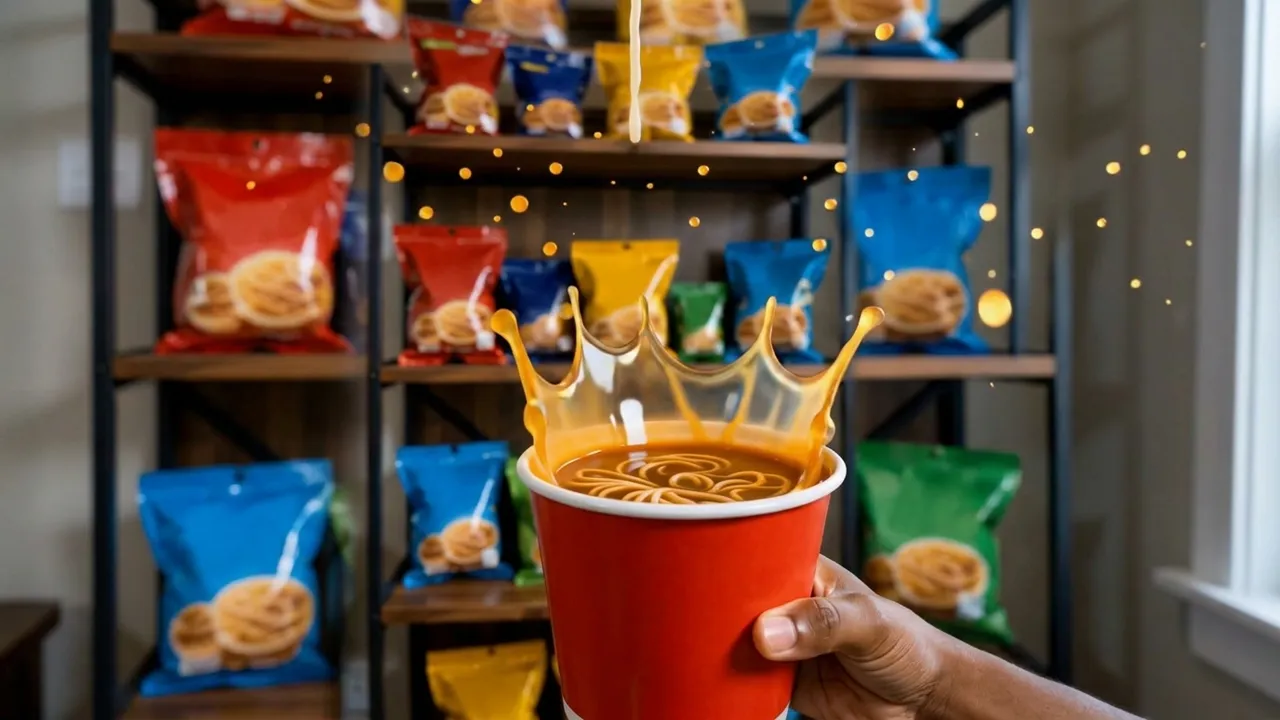
The official preview freezes a hand holding an instant noodle cup as the broth erupts in a golden crown, with shelves of snacks glowing behind it. The same one-click flow works with a photo of your own meal moment.
See It In Action
What Is the Eating and drinking in slow motion Template?
Eating and drinking in slow motion is a new PixVerse image-to-video template. You upload one photo; PixVerse V6 generates a 12-second vertical video with built-in music. You do not write a prompt — the template prompt is locked, so the effect stays consistent.
Template details
| Field | Value |
|---|---|
| Template name | Eating and drinking in slow motion |
| Template ID | 420012679619904 |
| Output | Video |
| Model | PixVerse V6 |
| Input | 1 photo |
| Duration | 12 seconds |
| Quality | 360p, 540p, 720p, 1080p |
| Audio | Built-in music |
| Custom prompt | Off |
| Launched | Aug 20 2026 |
How it works
- Upload one photo — a clear shot of your food, drink, or snack moment
- Select Eating and drinking in slow motion — search the name in PixVerse templates, or use Template ID
420012679619904 - Generate — PixVerse V6 applies the effect automatically
- Download and share — export the 12-second clip for TikTok, Reels, or Shorts
What’s in the Official Preview
The template preview is a slow-motion food commercial:
- A hand holding an instant noodle cup mid-splash
- Broth frozen in a golden crown above the noodles
- Glowing droplets suspended in the air
- Shelves of colorful snacks framing the background
Every drip hangs in the air long enough to make your audience hungry.
How to Create Your Eating and drinking in slow motion Video
Step 1: Choose a photo
Use a well-lit shot of your meal, drink, or snack setup. Close-ups with rich color match the official preview style best.
Step 2: Open PixVerse
Visit PixVerse on web or in the app, then open the template library.
Step 3: Find Eating and drinking in slow motion
Search Eating and drinking in slow motion or look under newly launched templates. Confirm Template ID 420012679619904.
Step 4: Generate
Upload the photo and generate. The template does not accept a custom prompt, so you do not need to describe the scene.
Tips
- Bright, colorful food photographs give the richest slow-motion result
- Close-ups keep splashes and steam detail sharp
- Shoot against a simple background so the food stays the hero
- The output is vertical with music, ready for short-form platforms
Frequently Asked Questions (FAQ)
Q: Do I need to write a prompt? A: No. Eating and drinking in slow motion has custom prompts turned off. Upload one photo and generate.
Q: How long is the video? A: 12 seconds, generated with PixVerse V6.
Q: What quality is available? A: 360p, 540p, 720p, and 1080p.
Q: How many photos do I upload? A: One. This is a single-image template.
Q: What kind of photo works best? A: A bright close-up of food or a drink — the official preview uses an instant noodle cup mid-splash.
Ready to make every bite cinematic? Open PixVerse, search Eating and drinking in slow motion, and generate from one photo.
Related templates:
- Hercules Strength — split bricks with bare hands
- Love Scenario Hand Dance — copy this viral gesture dance
- Pet Making Sushi — your pet as a sushi chef
- Little Gymnast — tiny gymnastics counterpart