Dune Skateboarding: Ride Sand Dunes with PixVerse AI Video
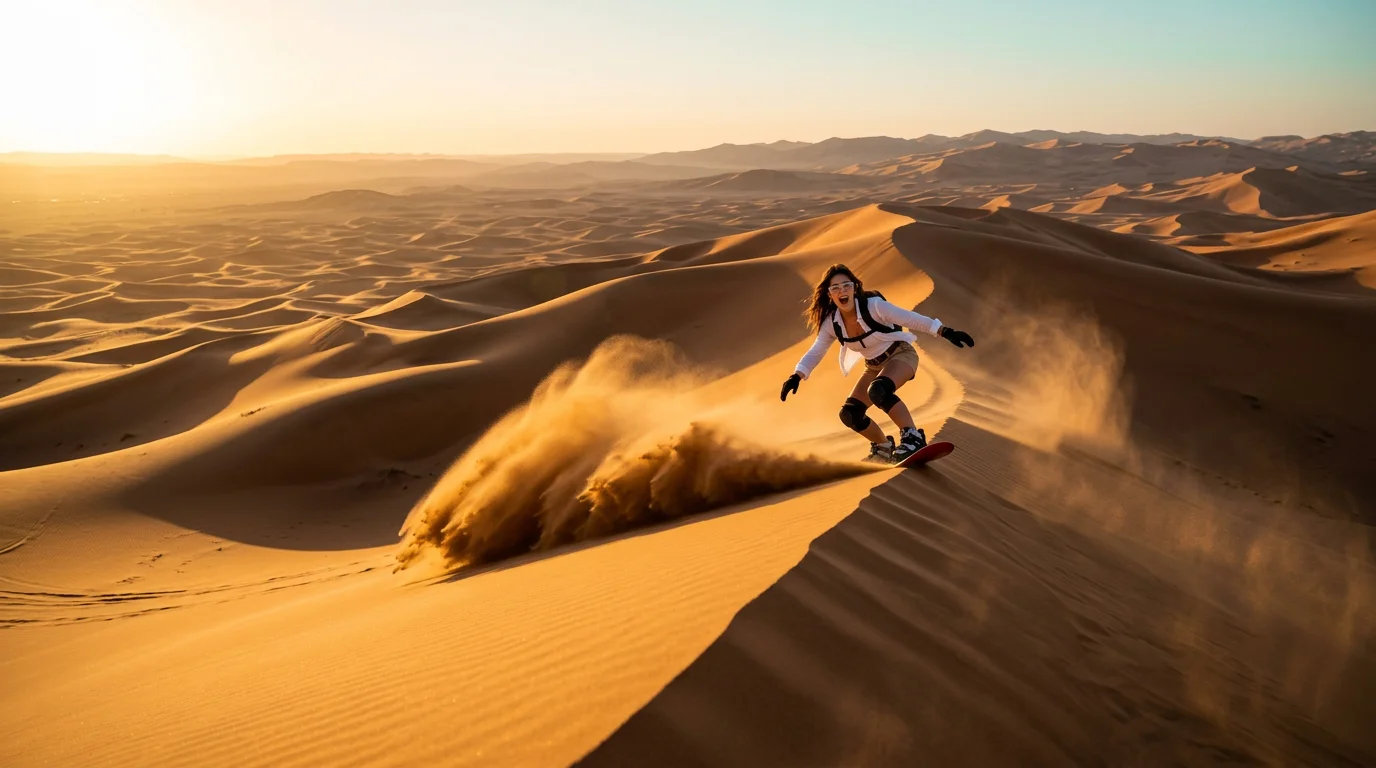
Upload your photo and go dune skateboarding. That is the official prompt for PixVerse’s newly launched Dune Skateboarding template — a one-photo V6 effect that turns your subject into a 12-second dynamic video.
The official preview captures a high-speed sandboarding run down vast golden desert dunes under bright sunlight, carving sharp curves across ridge crests as plumes of sand spray behind the board.
See It In Action
What Is the Dune Skateboarding Template?
Dune Skateboarding is a new PixVerse image-to-video template. You upload one photo; PixVerse V6 generates a 12-second vertical video. You do not write a prompt — the template prompt is locked, so the effect stays consistent.
Template details
| Field | Value |
|---|---|
| Template name | Dune Skateboarding |
| Template ID | 420697085345216 |
| Output | Video |
| Model | PixVerse V6 |
| Input | 1 photo |
| Duration | 12 seconds |
| Quality | 720p |
| Audio | Not included |
| Custom prompt | Off |
| Launched | Aug 24 2026 |
How it works
- Upload one photo — a clear portrait or full-body shot works best
- Select Dune Skateboarding — search the name in PixVerse templates, or use Template ID
420697085345216 - Generate — PixVerse V6 applies the effect automatically
- Download and share — export the 12-second clip for TikTok, Reels, or Shorts
What’s in the Official Preview
- A stylish rider gliding down steep golden desert sand dunes
- Fluid carving turns along sand ridges and slopes
- Dynamic sand particle physics spraying behind the board
- Cinematic desert horizon with expansive natural sunlight
The effect is optimized for vertical video platforms: your uploaded subject is seamlessly animated into the scene with natural motion and high visual fidelity.
How to Create Your Dune Skateboarding Video
Step 1: Choose a photo
Use a clear, well-lit shot. Front-facing portraits and full-body shots both work well with this template.
Step 2: Open PixVerse
Visit PixVerse on web or in the app, then open the template library.
Step 3: Find Dune Skateboarding
Search Dune Skateboarding or look under newly launched templates. Confirm Template ID 420697085345216.
Step 4: Generate
Upload the photo and generate. The template does not accept a custom prompt, so you do not need to describe the scene.
Tips
- Use one clear subject per photo for optimal AI tracking and composition
- High-resolution photos produce crisper details and smoother facial expressions
- Frontal angles with natural lighting match the template styling best
- Export at 720p for immediate sharing to TikTok, Instagram Reels, and YouTube Shorts
Frequently Asked Questions (FAQ)
Q: Do I need to write a prompt? A: No. Dune Skateboarding has custom prompts turned off. Upload one photo and generate.
Q: How long is the video? A: 12 seconds, generated with PixVerse V6.
Q: What quality is available? A: 720p.
Q: How many photos do I upload? A: One. This is a single-image template.
Q: Is audio included? A: No audio is included in this template.
Ready to try it? Open PixVerse, search Dune Skateboarding, and generate from one photo.
Related templates: