Cheer Up Your Little Cutie: Tiny Cute Mini-Me Video Template
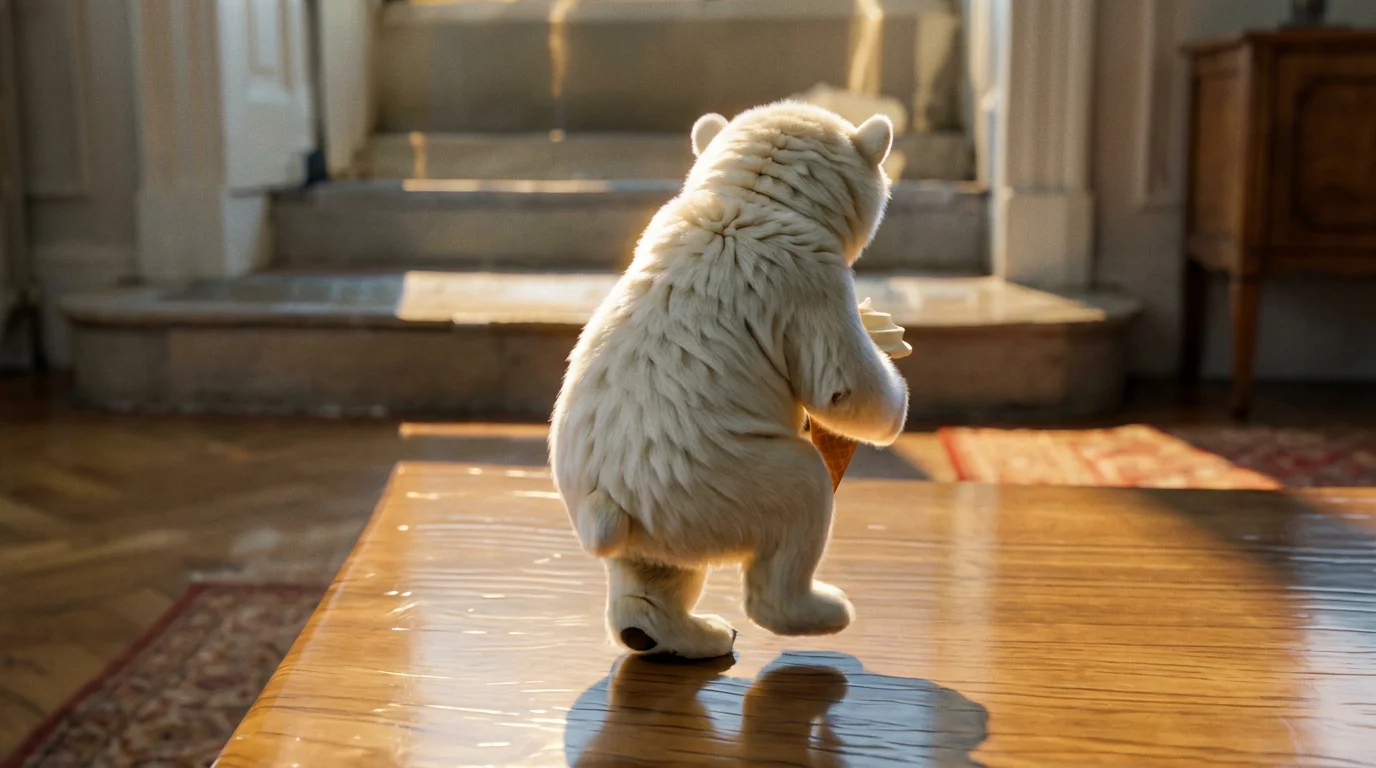
Upload a photo of you or your pet, and you will get to see tiny cute versions of yourselves. That is the official prompt for PixVerse’s newly launched Cheer up your little cutie. template — a one-photo V6 effect that turns your subject into adorable miniature versions.
The official preview is a cheerful tiny-world moment: small, cute versions of the uploaded subject. The same one-click flow works with a portrait of you, a friend, a child, or a pet.
See It In Action
What Is the Cheer up your little cutie. Template?
Cheer up your little cutie. is a new PixVerse image-to-video template. You upload one photo; PixVerse V6 generates an 11-second vertical video. You do not write a prompt — the template prompt is locked, so the effect stays consistent.
Template details
| Field | Value |
|---|---|
| Template name | Cheer up your little cutie. |
| Template ID | 420189663169984 |
| Output | Video |
| Model | PixVerse V6 |
| Input | 1 photo |
| Duration | 11 seconds |
| Quality | 360p / 540p / 720p / 1080p |
| Audio | Included |
| Custom prompt | Off |
| Launched | Aug 21 2026 |
How it works
- Upload one photo — a clear portrait of you or your pet works best
- Select Cheer up your little cutie. — search the name in PixVerse templates, or use Template ID
420189663169984 - Generate — PixVerse V6 applies the effect automatically
- Download and share — export the 11-second clip for TikTok, Reels, or Shorts
What’s in the Official Preview
The template preview is a cute miniature moment, not a simple filter:
- Tiny cute versions of the uploaded subject
- A cheerful, playful mood throughout the clip
- Works with people and pets alike
- A warm, uplifting mini-world style
The effect keeps your uploaded face recognizable while staging the subject as tiny and cute.
How to Create Your Cheer up your little cutie. Video
Step 1: Choose a photo
Use a well-lit shot where the face is clear. Portraits and pet photos both match the official preview style.
Step 2: Open PixVerse
Visit PixVerse on web or in the app, then open the template library.
Step 3: Find Cheer up your little cutie.
Search Cheer up your little cutie. or look under newly launched templates. Confirm Template ID 420189663169984.
Step 4: Generate
Upload the photo and generate. The template does not accept a custom prompt, so you do not need to describe the scene.
Tips
- Use one subject per photo for a cleaner miniature result
- High-resolution images keep facial features sharper
- Pets work — the official prompt covers you or your pet
- The output is vertical, ready for short-form platforms
Frequently Asked Questions (FAQ)
Q: Do I need to write a prompt? A: No. Cheer up your little cutie. has custom prompts turned off. Upload one photo and generate.
Q: How long is the video? A: 11 seconds, generated with PixVerse V6.
Q: What quality is available? A: 360p, 540p, 720p, and 1080p.
Q: How many photos do I upload? A: One. This is a single-image template.
Q: Can I use a pet photo? A: Yes. The official prompt is made for you or your pet.
Ready to meet your tiny cute self? Open PixVerse, search Cheer up your little cutie., and generate from one photo.
Related templates:
- Aqua Embrace — dreamy underwater embrace from two photos
- Spicy Fire Pepper — breathe fire after a super-spicy chili
- Cute Little One Sneaking Cake — cute character sneaking a cake
- Walking Downstairs in a Sassy Way — show off your sassy walk downstairs
- Little Gymnast — tiny gymnast on the rings