Cat Studio Director: Direct a Movie with a Kitten Crew
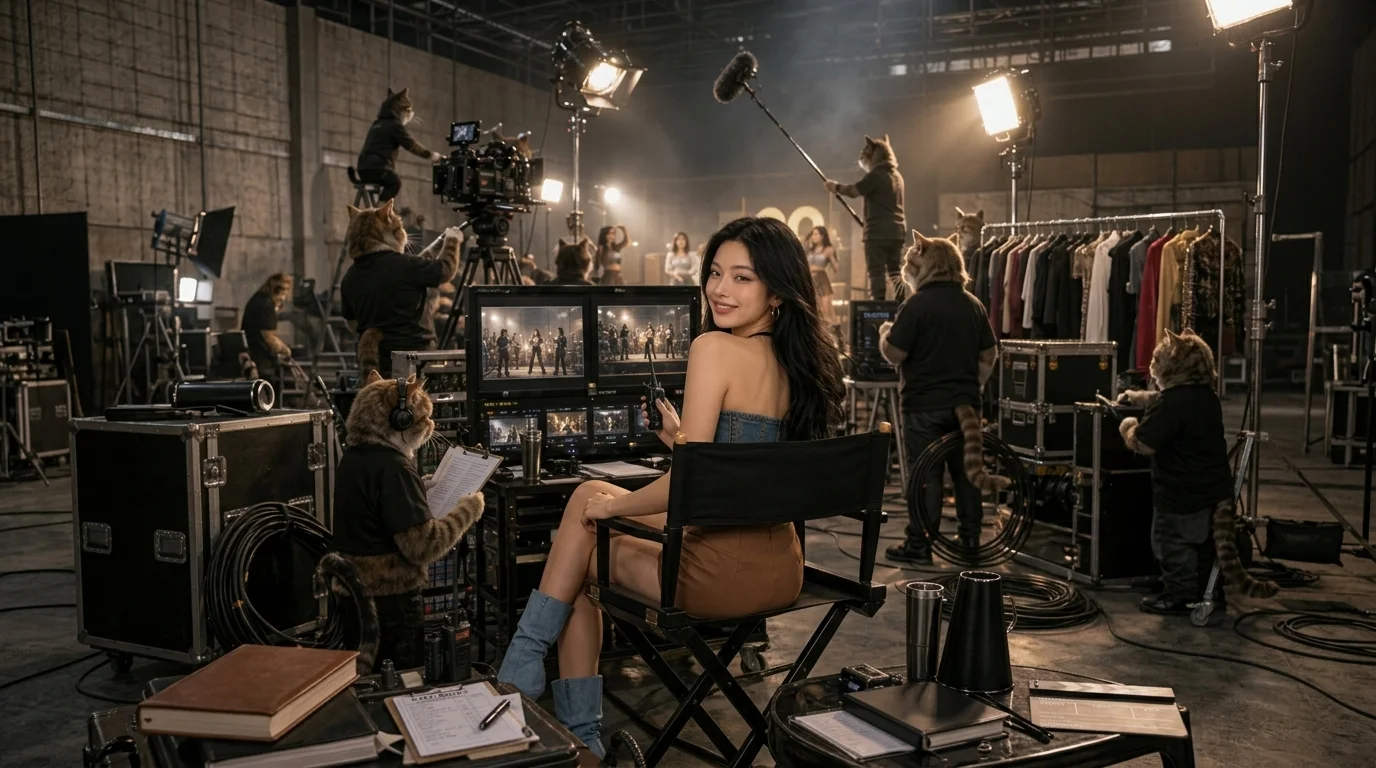
Step into a dreamy film crew filled with kitties, and live out your director’s fantasy backstage. That is the official prompt for PixVerse’s Cat Studio Director template — an adorable 8-second V6 effect that casts you as the chief director on a movie set staffed entirely by hardworking kittens.
The official preview shows the subject sitting in a classic director’s chair behind video monitors, surrounded by cute kittens operating film cameras, holding boom mics, and holding clapperboards.
See It In Action
What Is the Cat Studio Director Template?
Cat Studio Director is a heartwarming PixVerse image-to-video template powered by PixVerse V6. You upload one photo; PixVerse V6 generates an 8-second vertical backstage movie fantasy video. Custom prompts are locked to keep the whimsical feline crew consistent.
Template details
| Field | Value |
|---|---|
| Template name | Cat Studio Director |
| Template ID | 412424848725056 |
| Output | Video |
| Model | PixVerse V6 |
| Input | 1 photo |
| Duration | 8 seconds |
| Quality | 360p / 540p / 720p / 1080p |
| Audio | Included |
| Custom prompt | Off |
| Launched | Jul 08 2026 |
How it works
- Upload one photo — a clear portrait or well-lit shot works best
- Select Cat Studio Director — search the name in PixVerse templates, or use Template ID
412424848725056 - Generate — PixVerse V6 applies the effect automatically
- Download and share — export the clip for TikTok, Reels, or Shorts
What’s in the Official Preview
- Whimsical film set backstage diorama filled with adorable kitten crew members
- Kittens operating cinema cameras, holding boom microphones, and snapping clapperboards
- Classic director chair setting with monitors, headsets, and script props
- Charming 8-second clip crafted for cat lovers, cinema enthusiasts, and viral TikTok trends
How to Create Your Cat Studio Director Video
Step 1: Choose a photo
Use a clear, front-facing portrait or seated photo. Calm or smiling expressions fit right into the director’s chair.
Step 2: Open PixVerse
Visit PixVerse on web or in the app, then open the template library.
Step 3: Find Cat Studio Director
Search Cat Studio Director or look under newly launched templates. Confirm Template ID 412424848725056.
Step 4: Generate
Upload your photo and generate. The feline film crew backstage video is rendered automatically.
Tips
- Well-lit portraits blend naturally into the warm studio interior lighting
- Great for creators, pet lovers, film buffs, and playful social media posts
- PixVerse V6 animates the kittens with lifelike ear twitches and camera operations
- Download in 1080p for crisp kitten fur textures and film equipment details
Frequently Asked Questions (FAQ)
Q: Do I need to write a prompt? A: No. Cat Studio Director has custom prompts turned off. Upload one photo and generate.
Q: How long is the video? A: 8 seconds, generated with PixVerse V6.
Q: What quality is available? A: 360p, 540p, 720p, and 1080p.
Q: How many photos do I upload? A: One photo. This is a single-image template.
Q: Can I use this for my pet’s photo? A: Yes, seeing a dog or cat sitting in the director chair commanding a kitten crew is wonderfully charming.
Ready to call ‘Action!’ on your kitten film crew? Open PixVerse, search Cat Studio Director, and generate from one photo.
Related templates:
- Mini Me Unboxed — collectible 3D surprise figure unboxing
- Cheat Day Busted — hilarious instant treadmill panic after one bite
- Winged Couture — ethereal high-fashion runway portrait with wings
- Little Gymnast — tiny gymnast on the rings