Cafe to Beach: Seamlessly Step from a Coffee Shop to the Sea
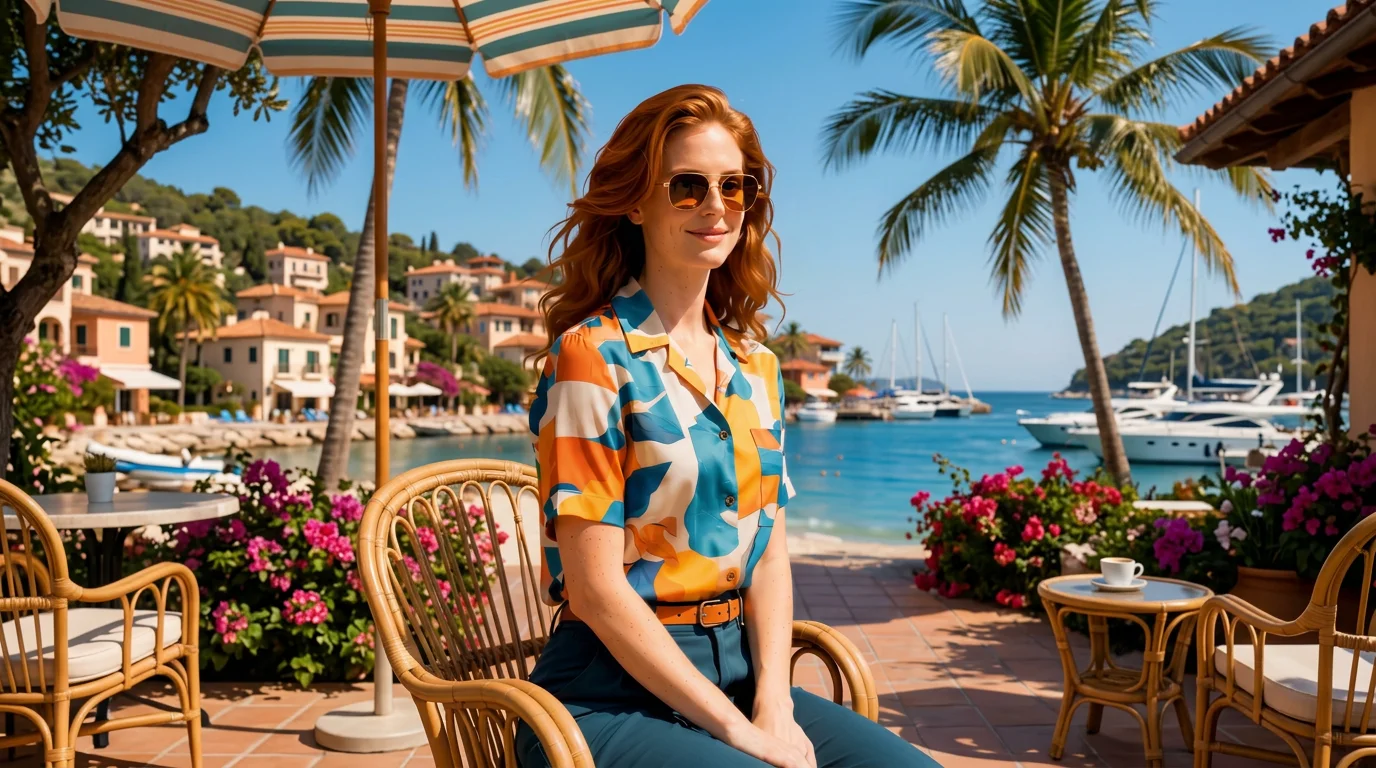
Step out of a cozy seaside coffee shop and walk straight onto sun-drenched golden sands. That is the official prompt for PixVerse’s Cafe to Beach template — an aesthetic one-photo V6 effect that generates a seamless 15-second cinematic transition from urban café comfort to ocean paradise.
The official preview follows a stylish subject enjoying a morning coffee before stepping through a breezy doorway directly onto a glittering coastline with rolling ocean waves. The same one-click flow works with your lifestyle portraits, travel pictures, or casual selfies.
See It In Action
What Is the Cafe to Beach Template?
Cafe to Beach is a travel lifestyle template powered by PixVerse V6. You upload one photo; PixVerse V6 generates a 15-second vertical cinematic video showcasing a smooth environmental match-cut from café to shoreline. You do not write a prompt — the elegant lighting shift and walking transition are locked for flawless storytelling.
Template details
| Field | Value |
|---|---|
| Template name | Cafe to Beach |
| Template ID | 414283187114123 |
| Output | Video |
| Model | PixVerse V6 |
| Input | 1 photo |
| Duration | 15 seconds |
| Quality | 360p / 540p / 720p / 1080p |
| Audio | Included |
| Custom prompt | Off |
| Launched | Jul 28 2026 |
How it works
- Upload one photo — a clear portrait or well-lit photo works best
- Select Cafe to Beach — search the name in PixVerse templates, or use Template ID
414283187114123 - Generate — PixVerse V6 applies the effect automatically
- Download and share — export the 15-second clip for TikTok, Reels, or Shorts
What’s in the Official Preview
The template preview showcases a polished, cohesive scene built around the official prompt:
- Cinematic match-cut transition from an aesthetic modern café to a sunlit beach
- Atmospheric lighting change from warm indoor coffee tones to bright coastal sunshine
- Realistic ocean waves, sea breeze, and sunny shore dynamics
- Consistent styling, wardrobe, and facial features across both environments
The template delivers a seamless travel fantasy: your photo instantly embarks on a dreamy summer transition from workaday coffee to seaside bliss.
How to Create Your Cafe to Beach Video
Step 1: Choose a photo
A casual portrait or lifestyle photo in smart casual or summer attire works best. Poses with a coffee cup, book, or relaxed stance look natural.
Step 2: Open PixVerse
Visit PixVerse on web or in the app, then open the template library.
Step 3: Find Cafe to Beach
Search Cafe to Beach or browse newly launched templates. Confirm Template ID 414283187114123.
Step 4: Generate
Upload the photo and generate. The template does not accept a custom prompt, so you do not need to describe the scene.
Tips
- Warm indoor or outdoor portraits transition naturally into the golden beach light
- Casual sunglasses, linen shirts, or beachwear fit both the café and coastal scenes
- Clear front or three-quarter angles give the AI the best reference for continuous walking
- Export in 1080p for crisp lifestyle sharing on Instagram Reels, Lemon8, or TikTok
Frequently Asked Questions (FAQ)
Q: Do I need to write a prompt? A: No. Cafe to Beach has custom prompts turned off. Upload one photo and generate.
Q: How long is the video? A: 15 seconds, generated with PixVerse V6.
Q: What quality is available? A: 360p / 540p / 720p / 1080p.
Q: How many photos do I upload? A: One. This is a single-image template.
Q: Does the video include sound or music? A: Yes. The clip features ambient café chatter and gentle clinking cups blending into soothing ocean wave sounds and chill music.
Ready to step from café to beach? Open PixVerse, search Cafe to Beach, and generate from one photo.
Related templates:
- Night Market — step into a glowing street food evening market
- Paradise Jump — dive into sun-soaked summer ocean waters
- Summer Flower Card — create a blooming summer floral video
- Little Gymnast — tiny gymnast on the rings