C-Walk: Turn Any Photo into a Rhythmic Street Dance Video
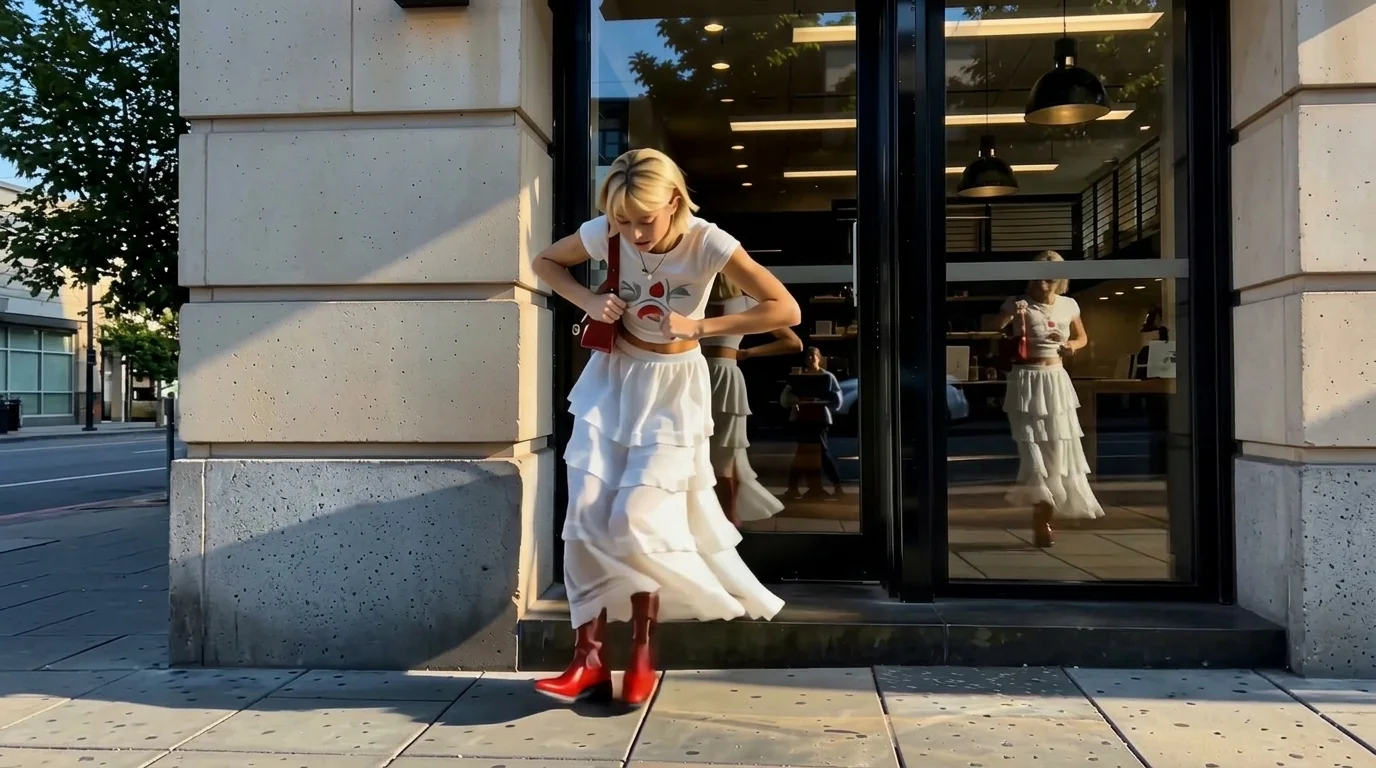
Smooth shifts, snappy moves — let the beat steer your C‑Walk groove. That is the official prompt for PixVerse’s C-Walk template — a single-photo V6 effect that brings your subject to life with authentic hip-hop street dance footwork.
The official preview shows a stylish dancer gliding across the pavement, executing signature heel-toe shuffles, snappy transitions, and rhythmic V-steps locked to an urban beat. The same one-click flow works with your portrait, a friend’s photo, or an avatar.
See It In Action
What Is the C-Walk Template?
C-Walk is a rhythmic choreography template powered by PixVerse V6. You upload one photo; PixVerse V6 generates a 12-second vertical video packed with fluid footwork and street dance energy. You do not write a prompt — the choreography is locked for consistent, impressive results.
Template details
| Template details | Output |
|---|---|
| Template name | C-Walk |
| Template ID | 417563000659072 |
| Output | Video |
| Model | PixVerse V6 |
| Input | 1 photo |
| Duration | 12 seconds |
| Quality | 360p / 540p / 720p / 1080p |
| Audio | Included |
| Custom prompt | Off |
| Launched | Aug 06 2026 |
How it works
- Upload 1 photo — a clear photo works best
- Select C-Walk — search the name in PixVerse templates, or use Template ID
417563000659072 - Generate — PixVerse V6 applies the effect automatically
- Download and share — export the 12-second clip for TikTok, Reels, or Shorts
What’s in the Official Preview
The template preview showcases a polished, cohesive scene built around the official theme:
- Fluid Crip Walk footwork with authentic heel-toe transitions
- A full 12-second rhythmic street dance sequence
- Upbeat hip-hop soundtrack synced with every bounce and slide
- Consistent facial features and outfit styling preserved throughout
How to Create Your C-Walk Video
Step 1: Choose a full-body photo
Use a clear, full-body portrait where the legs and shoes are visible to make the footwork look natural.
Step 2: Open PixVerse
Visit PixVerse on web or in the app, then open the template library.
Step 3: Find C-Walk
Search C-Walk or look under newly launched templates. Confirm Template ID 417563000659072.
Step 4: Generate
Upload the photo and generate. The template does not accept a custom prompt, so you do not need to describe the scene.
Tips
- Full-body shots with visible footwear give the cleanest footwork animation
- Streetwear, sneakers, or sporty outfits fit the hip-hop aesthetic best
- Good contrast against the background keeps body outlines sharp
- Export at 1080p for crisp social sharing on TikTok and Reels
Frequently Asked Questions (FAQ)
Q: Do I need to write a prompt? A: No. C-Walk has custom prompts turned off. Upload your photo and generate.
Q: How long is the video? A: 12 seconds, generated with PixVerse V6.
Q: What quality is available? A: 360p / 540p / 720p / 1080p.
Q: How many photos do I upload? A: 1 photo. This template creates the full animation from your uploaded image.
Q: Does the video include background music? A: Yes. A high-energy urban hip-hop beat is integrated into the 12-second video to sync with the footwork.
Ready to create your video? Open PixVerse, search C-Walk, and generate from 1 photo.
Related templates:
- Move Like Animal — wild and energetic dance rhythms
- What a Day — joyful street group choreography
- Red Carpet Moment — step into the celebrity spotlight
- Little Gymnast — tiny gymnast on the rings