Bullfighting Dance: Turn Every Beat into a Mini Bullfight
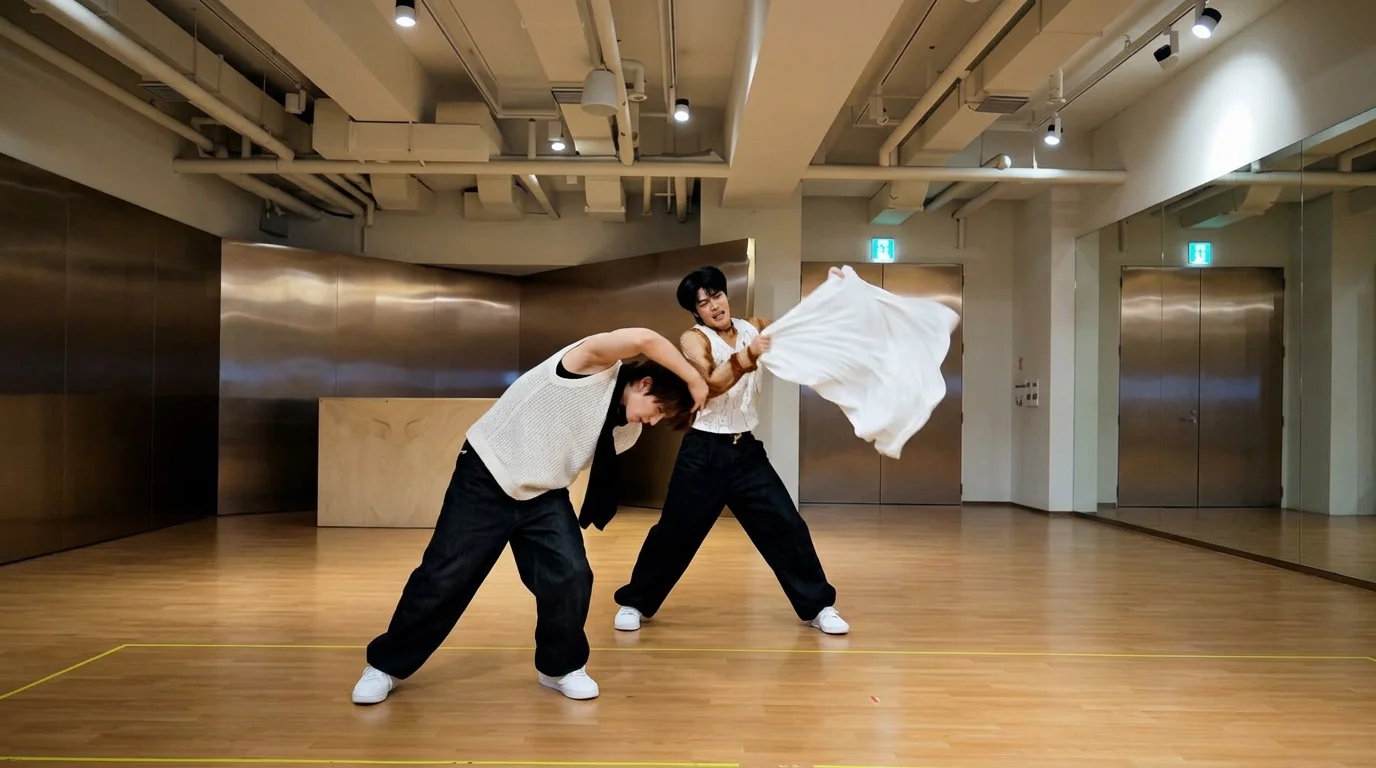
Bullfighting Dance is a newly launched PixVerse image-to-video template. The official prompt says “Grab the cape, dodge the bull, and turn every beat into a mini bullfight.” — grab the cape, dodge the bull, and turn every beat into a mini bullfight.
Upload two photos and PixVerse V6 handles the rest. The template prompt is locked, so every render keeps the same official effect — a 14-second vertical video with background music you can export up to 1080p.
See It In Action
What Is the Bullfighting Dance Template?
Bullfighting Dance is a new PixVerse image-to-video template powered by PixVerse V6. You upload two photos; PixVerse generates a 14-second vertical video. You do not write a prompt — custom prompts are off, so the effect stays consistent.
Template details
| Field | Value |
|---|---|
| Template name | Bullfighting Dance |
| Template ID | 421977263081472 |
| Output | Video |
| Model | PixVerse V6 |
| Input | 2 photos |
| Duration | 14 seconds |
| Quality | 360p / 540p / 720p / 1080p |
| Audio | Included |
| Custom prompt | Off |
| Launched | Aug 31 2026 |
How it works
- Upload two photos — clear, well-lit shots of each subject work best
- Select Bullfighting Dance — search the name in PixVerse templates, or use Template ID
421977263081472 - Generate — PixVerse V6 applies the effect automatically
- Download and share — export the 14-second clip for TikTok, Reels, or Shorts
What’s in the Official Preview
Everything in the official preview comes straight from the locked template prompt — no custom staging, just the effect itself:
- Grab the cape, dodge the bull, and turn every beat into a mini bullfight
- Vertical 14-second clip generated with PixVerse V6
- Background music included
- Exports in 360p / 540p / 720p / 1080p
How to Create Your Bullfighting Dance Video
Step 1: Choose your photos
Use well-lit shots where each subject is clearly visible. Similar lighting across both photos gives a cleaner result.
Step 2: Open PixVerse
Visit PixVerse on web or in the app, then open the template library.
Step 3: Find Bullfighting Dance
Search Bullfighting Dance or look under newly launched templates. Confirm Template ID 421977263081472.
Step 4: Generate
Upload your two photos and generate. The template does not accept a custom prompt, so you do not need to describe the scene.
Tips
- Two clearly visible, well-lit subjects give the strongest effect
- High-resolution images keep faces sharper in the final clip
- Similar lighting in both photos blends the scene better
- The output is vertical, ready for TikTok, Reels, and Shorts
Frequently Asked Questions (FAQ)
Q: Do I need to write a prompt? A: No. Bullfighting Dance has custom prompts turned off. Upload two photos and generate.
Q: How long is the video? A: 14 seconds, generated with PixVerse V6.
Q: What quality is available? A: 360p / 540p / 720p / 1080p.
Q: How many photos do I upload? A: Two. This template takes two input photos.
Q: Is there background music? A: Yes. This template includes audio.
Ready to try Bullfighting Dance? Open PixVerse, search Bullfighting Dance, and generate from your photos.
Related templates:
- 3D Figurine Factory! — 3D figurine collectible set
- Winged Wardrobe! — ethereal wings makeover
- Hidden Kitties ! — hidden-cat search
- Little Gymnast — tiny gymnast miniature