Brazilian Walk Mode: Turn Any Photo into a Cross-Step Dance Video
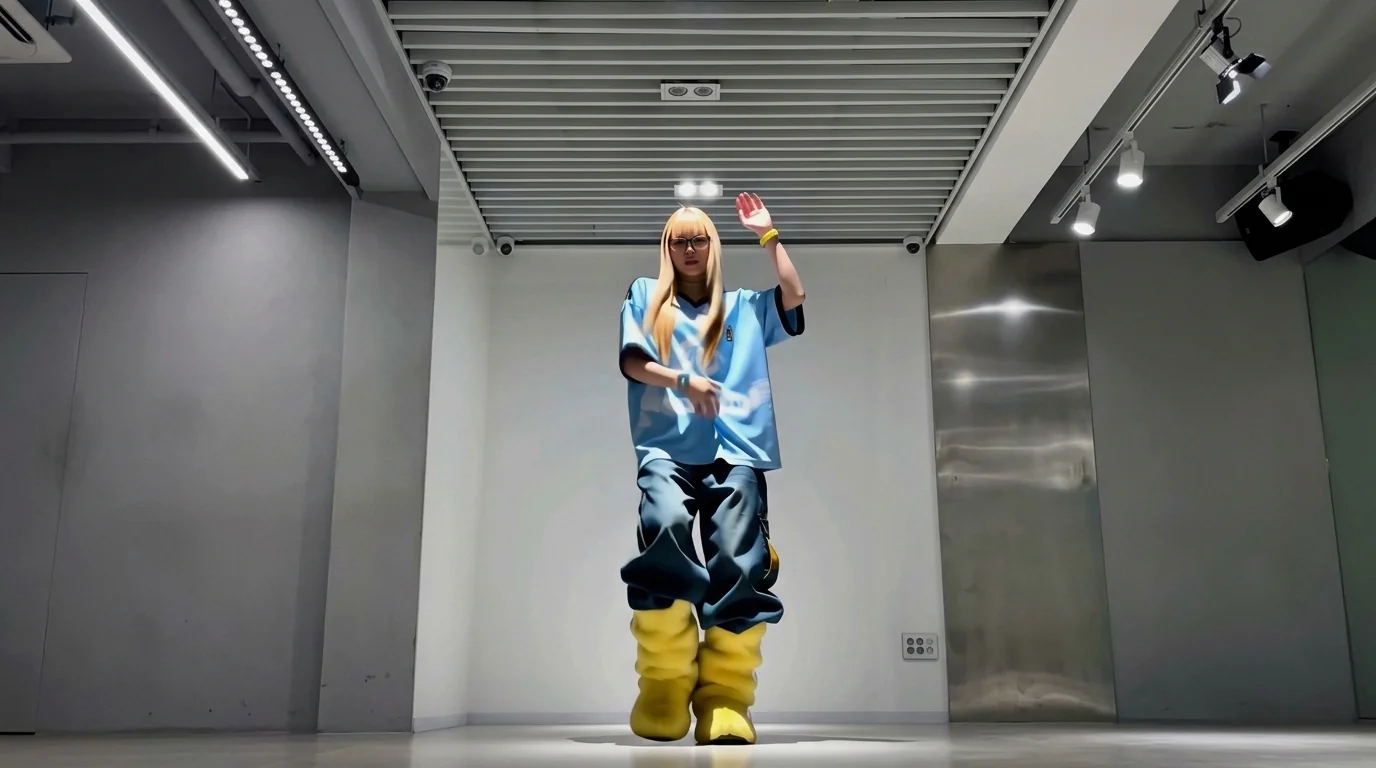
Upload one photo and watch it hit the Brazilian cross-step like it’s been practicing all week. That is the official prompt for PixVerse’s newly launched Brazilian Walk Mode template — a one-photo V6 effect that turns your picture into a 15-second vertical video.
Upload a clear photo and generate. There is no prompt to write and no timeline to edit: pick the template, upload one image, and PixVerse V6 renders the Brazilian cross-step walk scene for you.
See It In Action
What Is the Brazilian Walk Mode Template?
Brazilian Walk Mode is a new PixVerse image-to-video template. You upload one photo; PixVerse V6 generates a 15-second vertical video. You do not write a prompt — the template prompt is locked, so the effect stays consistent.
Template details
| Field | Value |
|---|---|
| Template name | Brazilian Walk Mode |
| Template ID | 422329130982656 |
| Output | Video |
| Model | PixVerse V6 |
| Input | 1 photo |
| Duration | 15 seconds |
| Quality | 360p, 540p, 720p, 1080p |
| Audio | Built-in |
| Custom prompt | Off |
| Launched | Sep 02 2026 |
How it works
- Upload one photo — a clear portrait or full-body shot works best
- Select Brazilian Walk Mode — search the name in PixVerse templates, or use Template ID
422329130982656 - Generate — PixVerse V6 applies the effect automatically
- Download and share — export the 15-second clip for TikTok, Reels, or Shorts
What’s in the Official Preview
The official preview shows the template effect applied to a sample photo:
- Upload one photo and watch it hit the Brazilian cross-step like it’s been practicing all week. — that is the locked effect: your photo hits the Brazilian cross-step
- Vertical 15-second output, framed for TikTok, Reels, and Shorts
- Your uploaded photo drives the scene; the effect is applied to your subject
- Built-in background music, so the clip is ready to share
How to Create Your Brazilian Walk Mode Video
Step 1: Choose a photo
Use a well-lit shot where the face is clear. Front-facing portraits match the official preview style best.
Step 2: Open PixVerse
Visit PixVerse on web or in the app, then open the template library.
Step 3: Find Brazilian Walk Mode
Search Brazilian Walk Mode or look under newly launched templates. Confirm Template ID 422329130982656.
Step 4: Generate
Upload the photo and generate. The template does not accept a custom prompt, so you do not need to describe the scene.
Tips
- Use one subject per photo for a cleaner result
- High-resolution images keep facial features sharper in the final clip
- Bright, front-lit photos render the most reliable results
- The output is vertical 1080p, ready for short-form platforms
Frequently Asked Questions (FAQ)
Q: Do I need to write a prompt? A: No. Brazilian Walk Mode has custom prompts turned off. Upload one photo and generate.
Q: How long is the video? A: 15 seconds, generated with PixVerse V6.
Q: What quality is available? A: 360p, 540p, 720p, 1080p.
Q: How many photos do I upload? A: One. This is a single-image template.
Q: Does it include music? A: Yes. The template ships with built-in background music.
Ready to try Brazilian Walk Mode? Open PixVerse, search Brazilian Walk Mode, and generate from one photo.
Related templates:
- Fish Tank Diving — one-photo PixVerse V6 template from the same batch
- Rainbow Pencil Rocket Launch — one-photo PixVerse V6 template from the same batch
- Cookie Rock Climbing — one-photo PixVerse V6 template from the same batch
- Little Gymnast — the tiny-gymnast miniature classic