Born To Shine On Stage: Festival Headliner Glow on PixVerse V6
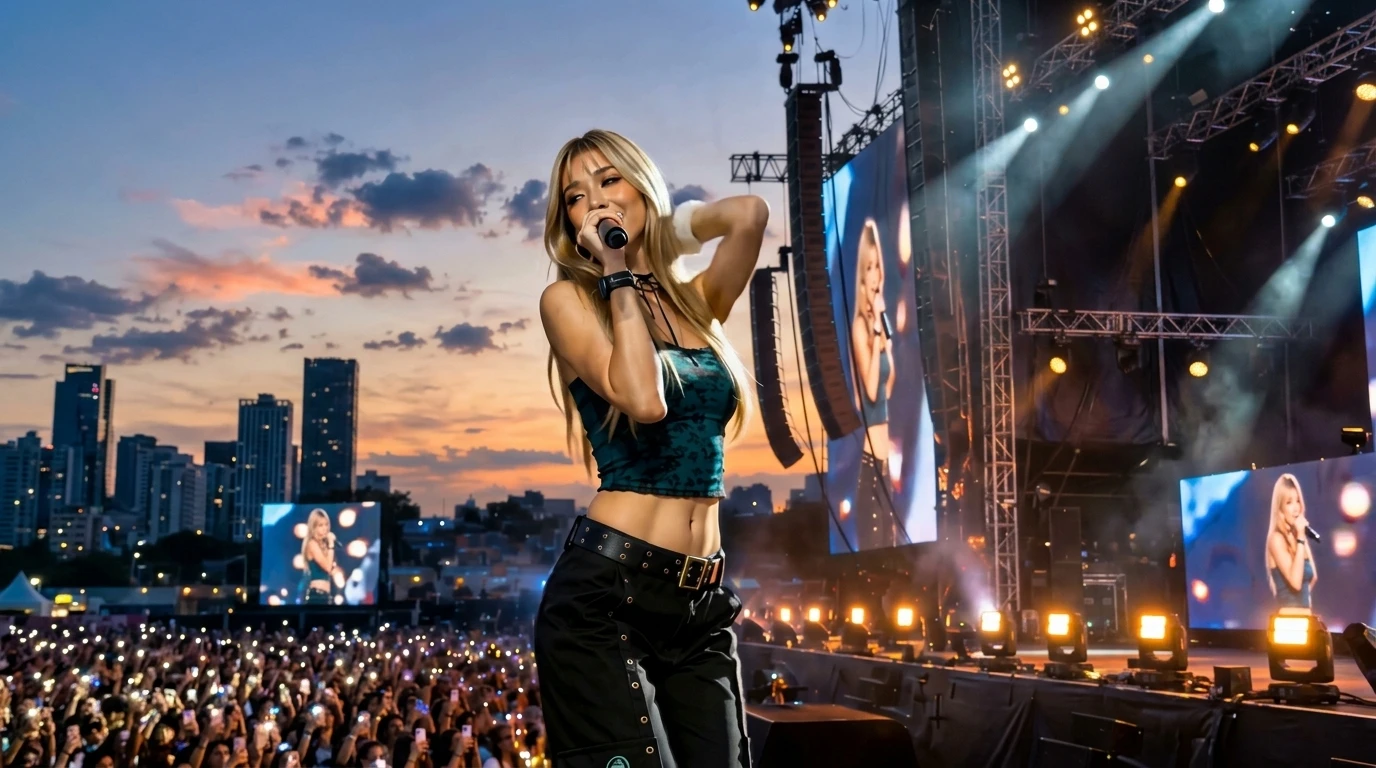
Upload your photo and shine like a festival headliner surrounded by lights and cheers.. That is the official prompt for PixVerse’s newly launched Born To Shine On Stage template — a one-photo V6 effect that brings this vision to life with fluid motion and stunning detail.
The official preview shows a superstar headliner performing at the apex of a music festival, surrounded by pulsating laser beams, pyrotechnics, and a sea of cheering fans. The same one-click flow works with your portrait, party photo, or creative cosplay.
See It In Action
What Is the Born To Shine On Stage Template?
Born To Shine On Stage is a music festival headliner template on PixVerse. You upload one photo; PixVerse V6 produces a 7-second vertical video placing you front and center at a massive festival stage with full audio. You do not write a prompt — the template prompt is locked, so the headliner energy stays consistent.
Template details
| Field | Value |
|---|---|
| Template name | Born To Shine On Stage |
| Template ID | 418456472466368 |
| Output | Video |
| Model | PixVerse V6 |
| Input | 1 photo |
| Duration | 7 seconds |
| Quality | 360p / 540p / 720p / 1080p |
| Audio | Included |
| Custom prompt | Off |
| Launched | Aug 11 2026 |
How it works
- Upload one photo — a clear portrait or well-lit photo works best
- Select Born To Shine On Stage — search the name in PixVerse templates, or use Template ID
418456472466368 - Generate — PixVerse V6 applies the effect automatically
- Download and share — export the 7-second clip for TikTok, Reels, or Shorts
What’s in the Official Preview
The template preview showcases a polished, cohesive scene built around the official prompt:
- Massive festival mainstage atmosphere packed with concert lasers and lights
- Confident headliner choreography delivering rockstar presence and power
- Atmospheric crowd silhouettes and stage glow highlighting the performer
- Festival EDM audio track with electrifying drops and crowd energy
This template turns anyone into an arena-filling music icon, bringing genuine festival euphoria to your social feed.
How to Create Your Born To Shine On Stage Video
Step 1: Choose a photo
Wear expressive, festive, or bold outfits in your photo to complement the festival stage aesthetics.
Step 2: Open PixVerse
Visit PixVerse on web or in the app, then open the template library.
Step 3: Find Born To Shine On Stage
Search Born To Shine On Stage or browse newly launched templates. Confirm Template ID 418456472466368.
Step 4: Generate
Upload the photo and generate. The template does not accept a custom prompt, so you do not need to describe the scene.
Tips
- Choose a photo with bold styling or dramatic hair to look like a true headliner
- Front-lit portraits ensure the performer’s face shines through the concert lasers
- Great for turning festival or concert memories into an epic performance video
- Export in 1080p to keep rapid laser sweeps and lighting effects razor sharp
Frequently Asked Questions (FAQ)
Q: Do I need to write a prompt? A: No. Born To Shine On Stage has custom prompts turned off. Upload one photo and generate.
Q: How long is the video? A: 7 seconds, generated with PixVerse V6.
Q: What quality is available? A: 360p / 540p / 720p / 1080p.
Q: How many photos do I upload? A: One. This is a single-image template.
Q: Does the video include sound or music? A: Yes. An electrifying festival dance track is synced to the visual choreography.
Ready to headline the main stage? Open PixVerse, search Born To Shine On Stage, and generate from one photo.
Related templates:
- The Stars on Stage — stand out and radiate confidence
- Everyone Is Obsessed — viral dance that captivates the crowd
- Beat-Cut Beauty Transformation — beat-synced glam reveal
- Little Gymnast — tiny gymnast on the rings