Blue Whale Swim: Dive and Glide Alongside a Gentle Ocean Giant
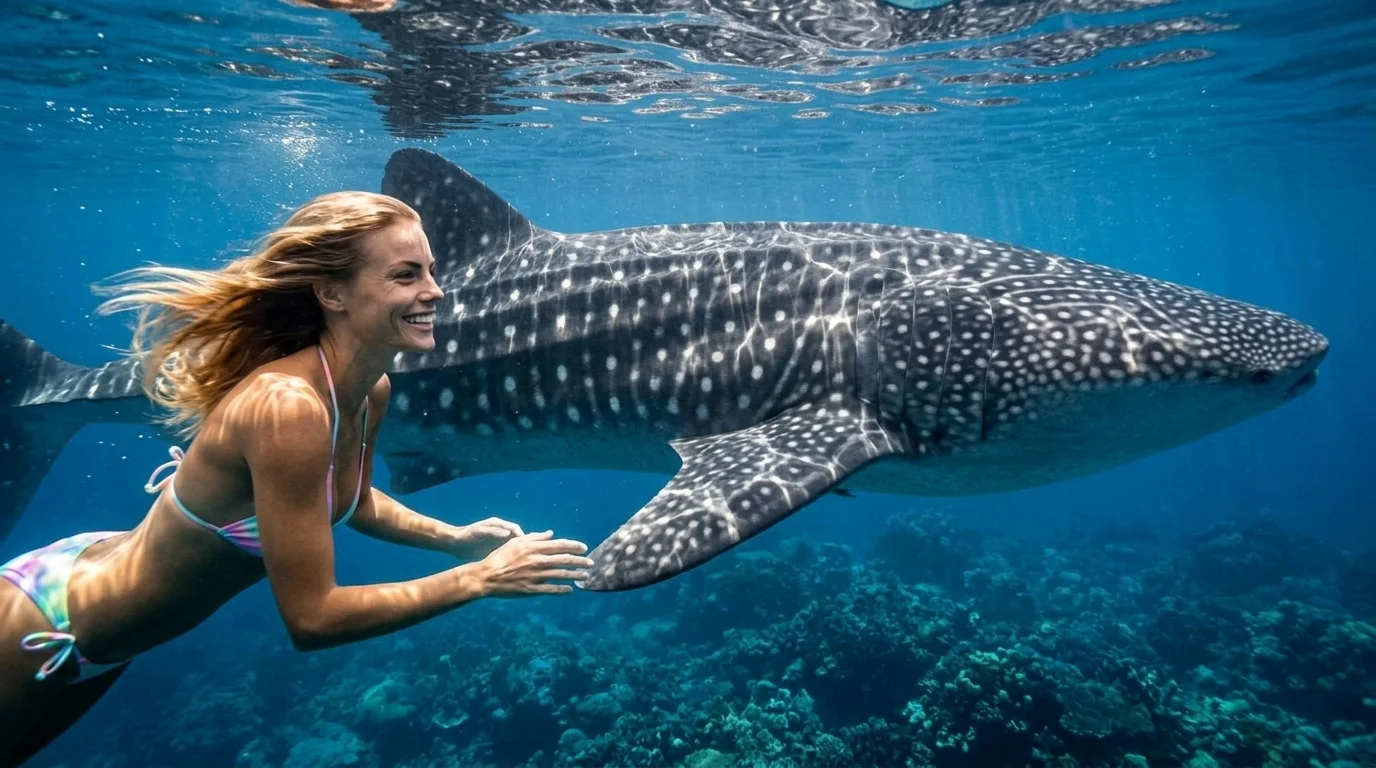
Dive into the ocean and swim alongside a magnificent blue whale while holding onto its side fin. That is the official prompt for PixVerse’s newly launched BLUE WHALE SWIM template — an awe-inspiring V6 image-to-video effect that plunges your subject into deep azure waters next to the largest creature on Earth.
The official preview shows the subject swimming effortlessly through sunlit tropical ocean depths, holding the pectoral fin of a massive blue whale as light rays shimmer through the water. The same one-click flow works with portraits of yourself, friends, or family.
See It In Action
What Is the BLUE WHALE SWIM Template?
BLUE WHALE SWIM is a breathtaking PixVerse image-to-video template powered by PixVerse V6. You upload one photo; PixVerse V6 generates a 10-second vertical underwater video. You do not write a prompt — the template prompt is locked, so the effect stays consistent.
Template name Video
| Field | Value |
|---|---|
| Template name | BLUE WHALE SWIM |
| Template ID | 414227412564451 |
| Output | Video |
| Model | PixVerse V6 |
| Input | 1 photo |
| Duration | 10 seconds |
| Quality | 360p / 540p / 720p / 1080p |
| Audio | Included |
| Custom prompt | Off |
| Launched | Jul 28 2026 |
How it works
- Upload one photo — a clear portrait or well-lit shot works best
- Select BLUE WHALE SWIM — search the name in PixVerse templates, or use Template ID
414227412564451 - Generate — PixVerse V6 applies the effect automatically
- Download and share — export the clip for TikTok, Reels, or Shorts
What’s in the Official Preview
- The subject gliding gracefully through crystal-clear turquoise ocean depths
- A massive, beautifully rendered blue whale swimming calmly alongside
- Shimmering sunbeams filtering through water with realistic underwater lighting
- Natural underwater physics featuring flowing hair, bubbles, and gentle water currents
How to Create Your BLUE WHALE SWIM Video
Step 1: Choose a photo
Use a clear portrait or full-body photo where facial features are well lit.
Step 2: Open PixVerse
Visit PixVerse on web or in the app, then open the template library.
Step 3: Find {name}
Search BLUE WHALE SWIM or look under newly launched templates. Confirm Template ID 414227412564451.
Step 4: Generate
Upload the photo and generate. The template does not accept a custom prompt, so you do not need to describe the scene.
Tips
- Portraits with neutral or relaxed expressions blend seamlessly into the underwater scene
- High-resolution photos preserve facial clarity under shimmering water refractions
- Single-person photos produce the cleanest underwater swimming animation
- The output is vertical 1080p, optimized for TikTok, Instagram Reels, and YouTube Shorts
Frequently Asked Questions (FAQ)
Q: Do I need to write a prompt? A: No. BLUE WHALE SWIM has custom prompts turned off. Upload one photo and generate.
Q: How long is the video? A: 10 seconds, generated with PixVerse V6.
Q: What quality is available? A: 360p, 540p, 720p, and 1080p.
Q: How many photos do I upload? A: One. This is a single-image template.
Q: Does the video include background audio? A: Yes. The generated clip includes ambient oceanic background audio.
Ready to dive into the ocean? Open PixVerse, search BLUE WHALE SWIM, and generate from one photo.
Related templates:
- Elephant Splash — sunny jungle lake water fight
- Banana Boat Party — high-speed tropical ocean ride
- Capybara Lounge — chill poolside with a cool capybara
- Little Gymnast — tiny gymnast on the rings