Beat-Cut Beauty Transformation: Sync Glam Glow-Ups to the Beat
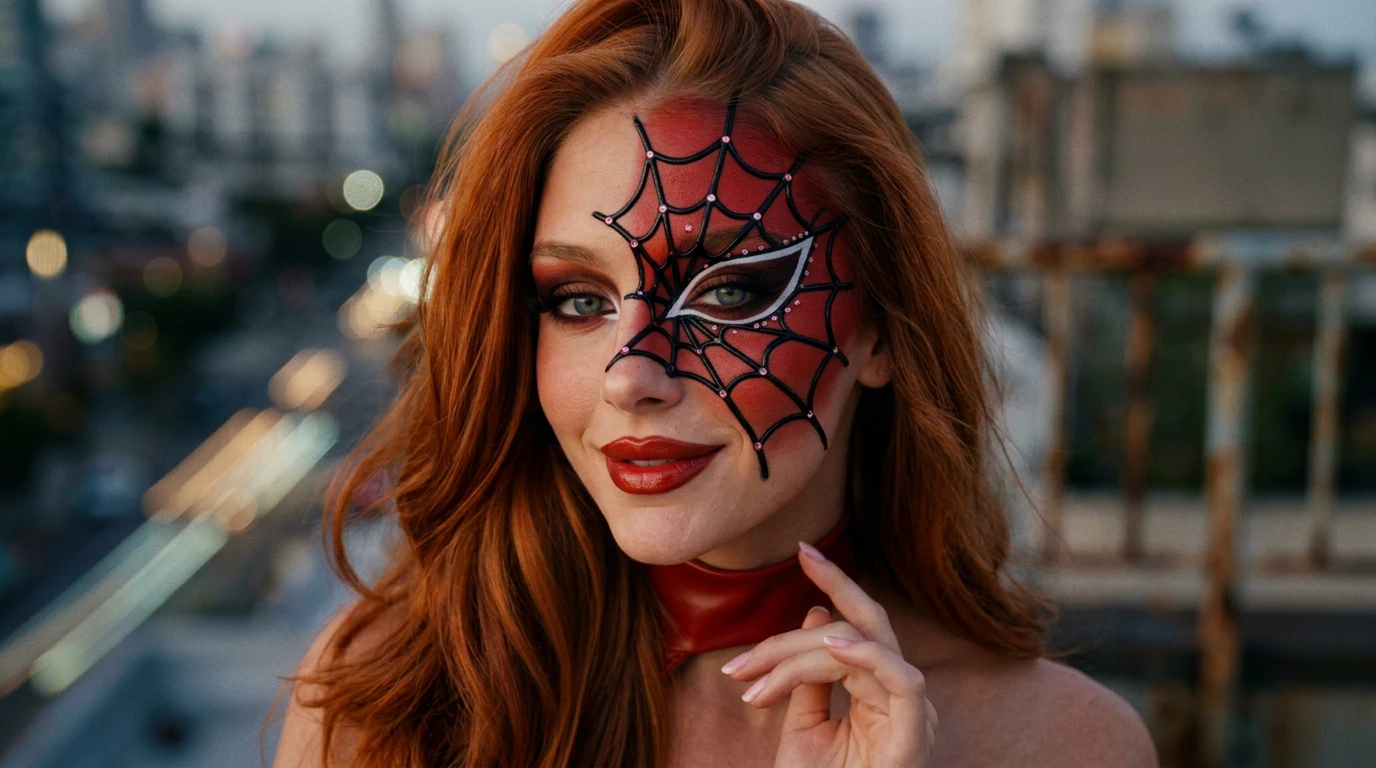
Upload a face photo and turn it into a beat-synced beauty transformation. The performer lip-syncs in a natural before look, pushes both hands close to the lens on the music beat, then instantly reveals a stylish red outfit, long hair, and natural glam artistic makeup with sparkle effects.. That is the official prompt for PixVerse’s newly launched Beat-Cut Beauty Transformation template — a one-photo V6 effect that brings this vision to life with fluid motion and stunning detail.
The official preview shows a performer lip-syncing in a natural everyday look before thrusting both hands toward the camera on the heavy beat, instantly cutting to an alluring red ensemble, cascading hair, and luminous glitter makeup. The same one-click flow works with a portrait of you, a friend, or an avatar.
See It In Action
What Is the Beat-Cut Beauty Transformation Template?
Beat-Cut Beauty Transformation is a new PixVerse image-to-video template. You upload one face photo; PixVerse V6 generates a 10-second vertical video complete with synchronized music and beat-drop transition. You do not write a prompt — the template prompt is locked, so the effect stays consistent.
Template details
| Field | Value |
|---|---|
| Template name | Beat-Cut Beauty Transformation |
| Template ID | 418973255944384 |
| Output | Video |
| Model | PixVerse V6 |
| Input | 1 photo |
| Duration | 10 seconds |
| Quality | 360p / 540p / 720p / 1080p |
| Audio | Included |
| Custom prompt | Off |
| Launched | Aug 14 2026 |
How it works
- Upload one photo — a clear portrait or well-lit photo works best
- Select Beat-Cut Beauty Transformation — search the name in PixVerse templates, or use Template ID
418973255944384 - Generate — PixVerse V6 applies the effect automatically
- Download and share — export the 10-second clip for TikTok, Reels, or Shorts
What’s in the Official Preview
The template preview showcases a polished, cohesive scene built around the official prompt:
- Natural before-look lip-syncing opening that establishes the baseline portrait
- Signature double-hand push toward the camera lens synchronized to the music beat
- Instant beat-cut transition revealing stylish red attire and cascading styled hair
- Glamorous artistic makeup complete with radiant sparkle and lighting highlights
The template is engineered for high-impact social transitions: your initial portrait feels genuine and grounded before delivering a dramatic visual payoff on the musical drop.
How to Create Your Beat-Cut Beauty Transformation Video
Step 1: Choose a photo
Use a clear, evenly lit front-facing headshot or selfie with neutral expression to maximize the dramatic contrast of the beauty transformation.
Step 2: Open PixVerse
Visit PixVerse on web or in the app, then open the template library.
Step 3: Find Beat-Cut Beauty Transformation
Search Beat-Cut Beauty Transformation or browse newly launched templates. Confirm Template ID 418973255944384.
Step 4: Generate
Upload the photo and generate. The template does not accept a custom prompt, so you do not need to describe the scene.
Tips
- A clean, simple background in your initial photo makes the subsequent glow-up stand out
- High-resolution facial images preserve crisp eyes and lip features during the transition
- Experiment with casual selfies to get the most dramatic contrast in the reveal
- Export in 1080p to showcase fine sparkle particles and makeup details on mobile screens
Frequently Asked Questions (FAQ)
Q: Do I need to write a prompt? A: No. Beat-Cut Beauty Transformation has custom prompts turned off. Upload one photo and generate.
Q: How long is the video? A: 10 seconds, generated with PixVerse V6.
Q: What quality is available? A: 360p / 540p / 720p / 1080p.
Q: How many photos do I upload? A: One. This is a single-image template.
Q: Does the video include sound or music? A: Yes. The template features a synchronized soundtrack with the transition timed to the beat drop.
Ready to unleash your beat-synced glow-up? Open PixVerse, search Beat-Cut Beauty Transformation, and generate from one photo.
Related templates:
- Three Lifetime Bond — reincarnation romance across eras
- Born To Shine On Stage — festival headliner performance
- Everyone Is Obsessed — viral dance that captivates the crowd
- Little Gymnast — tiny gymnast on the rings