Bathroom Hot Dance: Turn Up the Music with PixVerse V6
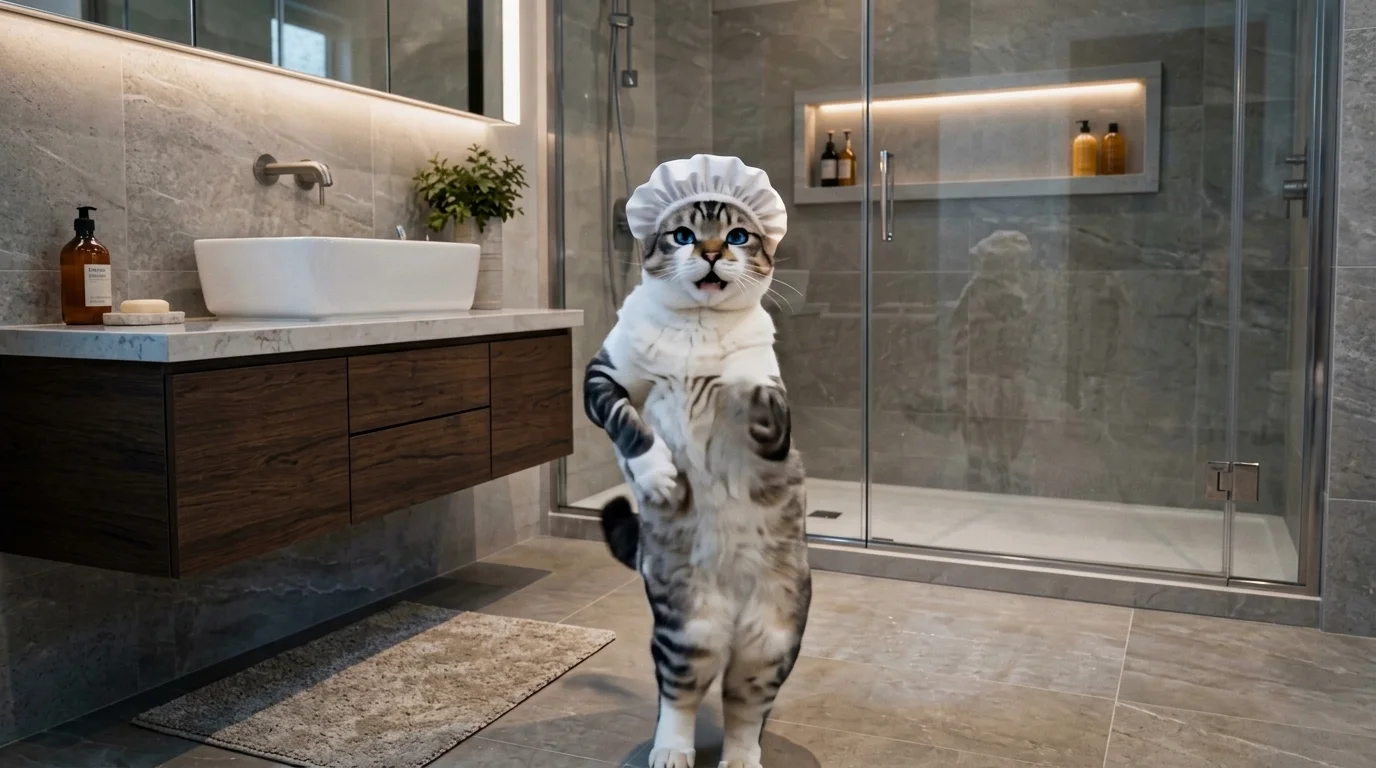
Turn up the music and dance like nobody’s watching. That is the official prompt for PixVerse’s newly launched Bathroom Hot Dance template — a single-photo V6 effect that transforms your subject into an uninhibited dancer having an absolute blast in front of the bathroom mirror.
The official preview shows an energetic character dancing joyfully in a stylish modern bathroom, grooving to an infectious rhythm with playful turns and spirited motion. The same one-click flow works effortlessly with a portrait of you, a friend, or an avatar.
See It In Action
What Is the Bathroom Hot Dance Template?
Bathroom Hot Dance is a new PixVerse image-to-video template. You upload one photo; PixVerse V6 generates a 14-second vertical dance clip with synchronized audio. You do not write a prompt — the choreography and upbeat tempo are preset to ensure a vibrant performance every time.
Template details
| Field | Value |
|---|---|
| Template name | Bathroom Hot Dance |
| Template ID | 419495964465344 |
| Output | Video |
| Model | PixVerse V6 |
| Input | 1 photo |
| Duration | 14 seconds |
| Quality | 360p / 540p / 720p / 1080p |
| Audio | Included |
| Custom prompt | Off |
| Launched | Aug 17 2026 |
How it works
- Upload one photo — a clear portrait or full-body shot works best
- Select Bathroom Hot Dance — search the name in PixVerse templates, or use Template ID
419495964465344 - Generate — PixVerse V6 applies the effect automatically
- Download and share — export the clip for TikTok, Reels, or Shorts
What’s in the Official Preview
The official preview showcases the key elements of the template:
- Energetic dance choreography synchronized to an upbeat rhythmic soundtrack
- Expressive full-body movement and joyful body gestures in a modern bathroom setting
- Warm vanity lighting and realistic reflections in the mirror
- High fidelity preservation of facial likeness and styling throughout the 14-second clip
The template taps into the relatable fun of spontaneous private dancing: your uploaded photo instantly comes alive with contagious rhythm and confidence.
How to Create Your Bathroom Hot Dance Video
Step 1: Choose a photo
Use a clear full-body or upper-body portrait with good lighting. Front-facing poses with upright posture translate into the most natural dance movement.
Step 2: Open PixVerse
Visit PixVerse on web or in the app, then open the template library.
Step 3: Find Bathroom Hot Dance
Search Bathroom Hot Dance or look under newly launched templates. Confirm Template ID 419495964465344.
Step 4: Generate
Upload the photo and generate. The template does not accept a custom prompt, so you do not need to describe the scene.
Tips
- Full-body shots give the choreography the best room for sweeping dance motions
- High-resolution photos keep facial features crisp and recognizable during quick turns
- Casual streetwear or party outfits match the spontaneous bathroom vibe perfectly
- Export in 1080p for seamless sharing on TikTok, Instagram Reels, and YouTube Shorts
Frequently Asked Questions (FAQ)
Q: Do I need to write a prompt? A: No. Bathroom Hot Dance has custom prompts turned off. Upload one photo and generate.
Q: How long is the video? A: 14 seconds, generated with PixVerse V6.
Q: What quality is available? A: 360p / 540p / 720p / 1080p.
Q: How many photos do I upload? A: One. This is a single-image template.
Q: Can I use any portrait photo? A: Yes. Portraits of people, stylized avatars, and character art all work smoothly.
Ready to turn up the music? Open PixVerse, search Bathroom Hot Dance, and generate your video from one photo.
Related templates:
- Seven Move Challenge — energetic 7-step choreography routine
- 60s Dance Night — vintage cinematic 16:9 twist dance
- Trip on Stage, Keep Singing — viral concert tumble and recovery
- Little Gymnast — tiny gymnast on the rings