Viral AI Dancing Baby: Create Trending AI Dance Videos with PixVerse
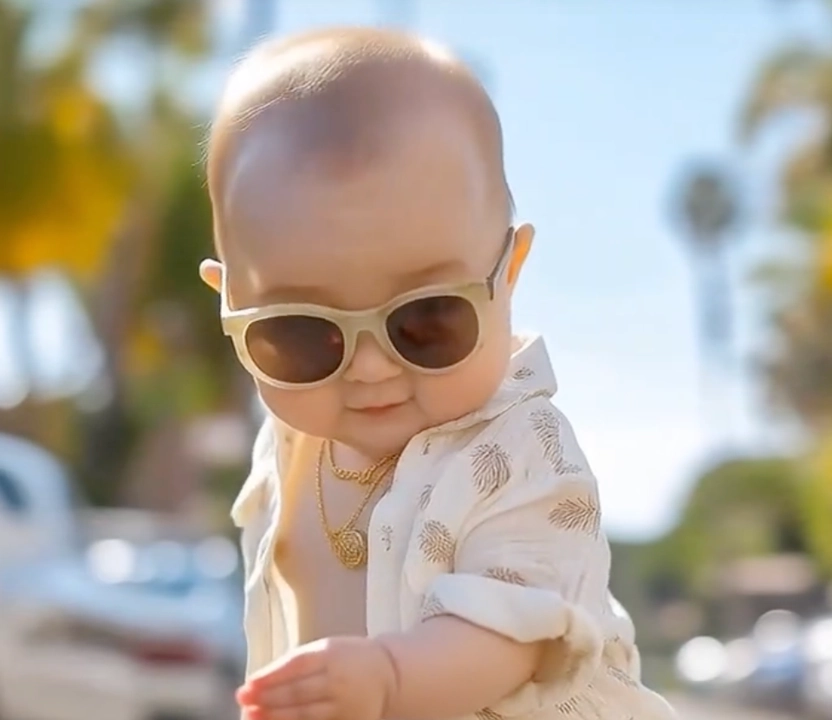
Join the AI Baby Dance Revolution with PixVerse
The world of AI video is moving fast, and the AI Dancing Baby trend is leading the charge. While technologies like Kling Video 2.6 Motion Control have introduced new possibilities, PixVerse has refined this experience, making it easier, smoother, and more accessible for everyone to create superior AI Dance results—all set to the catchy, rhythmic beats of the original “Music! Music!” BGM.
Some of the most viral dance videos you’ve seen recently—gaining millions of views across social media—are no longer the result of complex manual animation. They are created effortlessly on PixVerse. Whether it’s the AI Baby Dance or global AI Dancing Baby challenges, PixVerse delivers more fluid motion and better character consistency than ever before.
See It In Action
Trending on Social Media
The #AIDancingBaby trend is exploding on TikTok. Check out this viral example:
@mindalchemy0236 Cute baby cool dance 😂 #cute #cutebaby #bossbaby #babydance #ai ♬ original sound - mindalchemy0236
Why PixVerse is Better for AI Dancing Baby Videos
Many creators are finding that while Kling Video 2.6 Motion Control offers control, PixVerse provides a more “one-click” professional experience. We’ve optimized our AI models to understand human physics specifically for dancing, resulting in videos that feel more natural and less “glitchy.”
The PixVerse Advantage:
- Easier Workflow: No need to struggle with complex settings. Upload your photo, and our “Music! Music!” template does the heavy lifting.
- Superior Motion Quality: Achieve smoother transitions and more realistic dance steps compared to standard motion control tools.
- Better Character Preservation: PixVerse excels at keeping the face and features of your baby or character intact throughout the entire dance.
- Viral-Ready Templates: Our templates are specifically tuned to the latest AI Dance trends.
How to Create Your AI Dance Video on PixVerse
Making an AI Dancing Baby video on PixVerse is designed to be the easiest experience in the industry.
- Upload Your Photo: Select a clear photo of your subject. PixVerse handles the rest!
- Select the “Music! Music!” Template: Find our featured template (Template ID: 601905556122239070) featuring the iconic “Music! Music!” background track, designed for maximum viral impact.
- Generate & Enjoy: Watch as PixVerse creates a high-fidelity AI Baby Dance video that’s ready to post.
- Share the Magic: Export in high quality and join the #AIDance movement on TikTok and Instagram.
Pro Tips for the Best Results:
- Portrait Focus: Use a clear, well-lit portrait for the most lifelike AI Dancing Baby effect.
- High Resolution: The better the photo, the more stunning the dance.
- Join the Trends: Use the #AIBabyDance and #PixVerse hashtags to get featured!
The Future of AI Dance is Here
The AI Dancing Baby phenomenon shows how AI is democratizing creativity. PixVerse is proud to be at the forefront, offering a platform where you can achieve even better results than Kling Video 2.6 Motion Control with a fraction of the effort.
Whether you’re a parent wanting to see a cute AI Baby Dance or a creator looking for the next viral AI Dance hit, PixVerse is your ultimate tool for high-quality, effortless video generation.
Frequently Asked Questions (FAQ)
Q: Is PixVerse easier to use than Kling for dance videos? A: Absolutely! PixVerse is designed for simplicity, allowing you to achieve professional AI Dance results in just a few clicks without technical setup.
Q: Will the AI Dancing Baby look like the original photo? A: Yes, PixVerse’s advanced character preservation ensures that the AI Baby Dance maintains the unique features of your subject.
Q: Can I use this for social media challenges? A: Yes! Our videos are optimized for vertical platforms like TikTok and Reels, perfect for hitting the #AIDancingBaby trends.
Ready to create the next viral sensation? Visit PixVerse today and see why we are the top choice for AI Dance videos!
Learn More:
- Kling 2.6 Motion Control Guide — The technology behind the dance
- Download PixVerse App — Create on mobile
- Commercial Use Policy — Use your videos for business
- Join Creator Partnership Program — Get exclusive benefits