Accidentally Entering the World of Hayao Miyazaki: PixVerse Anime Effect
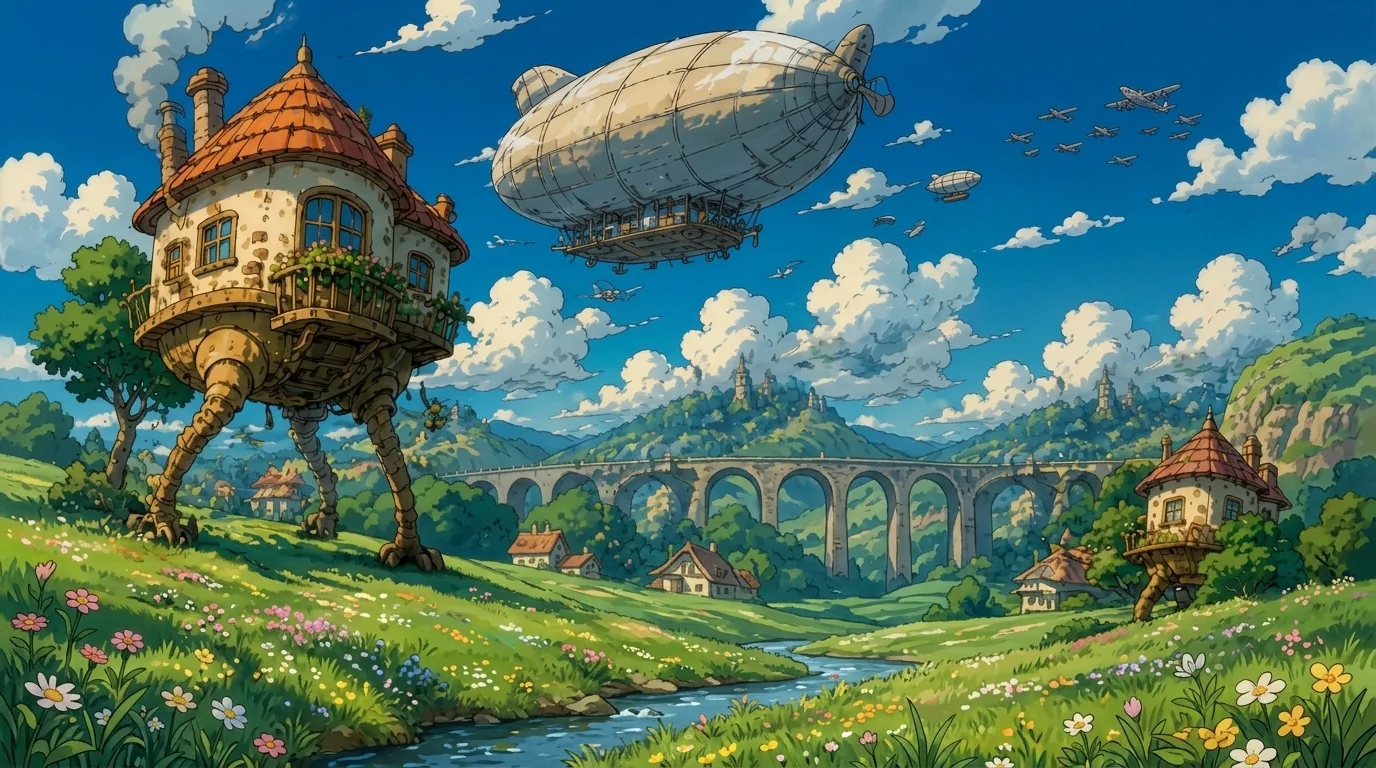
In Hayao Miyazaki’s world, you can see fantastic creatures and buildings. That is the official prompt for PixVerse’s newly launched Accidentally entering the world of Hayao Miyazaki template — a one-photo V6 effect that drops your subject into a hand-painted anime valley.
The official preview is a storybook panorama: a walking house on tall legs, a giant airship drifting overhead, a stone viaduct crossing green hills, and small cottages beside a winding river. The same one-click flow works with a portrait of you, a friend, or a child.
See It In Action
What Is the Accidentally entering the world of Hayao Miyazaki Template?
Accidentally entering the world of Hayao Miyazaki is a new PixVerse image-to-video template. You upload one photo; PixVerse V6 generates a 10-second vertical video. You do not write a prompt — the template prompt is locked, so the anime look stays consistent.
Template details
| Field | Value |
|---|---|
| Template name | Accidentally entering the world of Hayao Miyazaki |
| Template ID | 422323882235136 |
| Output | Video |
| Model | PixVerse V6 |
| Input | 1 photo |
| Duration | 10 seconds |
| Quality | 720p |
| Custom prompt | Off |
| Launched | Sep 02 2026 |
How it works
- Upload one photo — a clear portrait works best
- Select Accidentally entering the world of Hayao Miyazaki — search the name in PixVerse templates, or use Template ID
422323882235136 - Generate — PixVerse V6 applies the effect automatically
- Download and share — export the 10-second clip for TikTok, Reels, or Shorts
What’s in the Official Preview
The template preview is a hand-painted fantasy valley, not a simple filter overlay:
- A cottage-like house walking on tall legs
- A giant passenger airship floating across a bright blue sky
- A long stone viaduct stretching over green hills
- Small storybook cottages, a winding river, and wildflowers
The effect keeps your uploaded face recognizable while the world around it turns into an anime film still.
How to Create Your Accidentally entering the world of Hayao Miyazaki Video
Step 1: Choose a photo
Use a well-lit shot where the face is clear. Front-facing portraits match the official preview style best.
Step 2: Open PixVerse
Visit PixVerse on web or in the app, then open the template library.
Step 3: Find Accidentally entering the world of Hayao Miyazaki
Search Accidentally entering the world of Hayao Miyazaki or look under newly launched templates. Confirm Template ID 422323882235136.
Step 4: Generate
Upload the photo and generate. The template does not accept a custom prompt, so you do not need to describe the scene.
Tips
- Use one subject per photo for a cleaner anime result
- High-resolution images keep facial features sharper after restyling
- Outdoor portraits blend most naturally into the valley backdrop
- The output is vertical 720p, ready for short-form platforms
Frequently Asked Questions (FAQ)
Q: Do I need to write a prompt? A: No. This template has custom prompts turned off. Upload one photo and generate.
Q: How long is the video? A: 10 seconds, generated with PixVerse V6.
Q: What quality is available? A: 720p.
Q: How many photos do I upload? A: One. This is a single-image template.
Q: Can I use a photo of my child or pet? A: Yes. Any clear portrait with a visible face works with the effect.
Ready to step into the anime world? Open PixVerse, search Accidentally entering the world of Hayao Miyazaki, and generate from one photo.
Related templates:
- Transform Into a Puppet with Strings — theatrical stage counterpart
- Rhythm of Fantasy — elegance on the outside, revelry inside
- Let’s take an adventure in the bathroom — tiny-world bathroom adventure
- Little Gymnast