20th Anniversary Sky-High Declaration: Epic Rooftop Shout
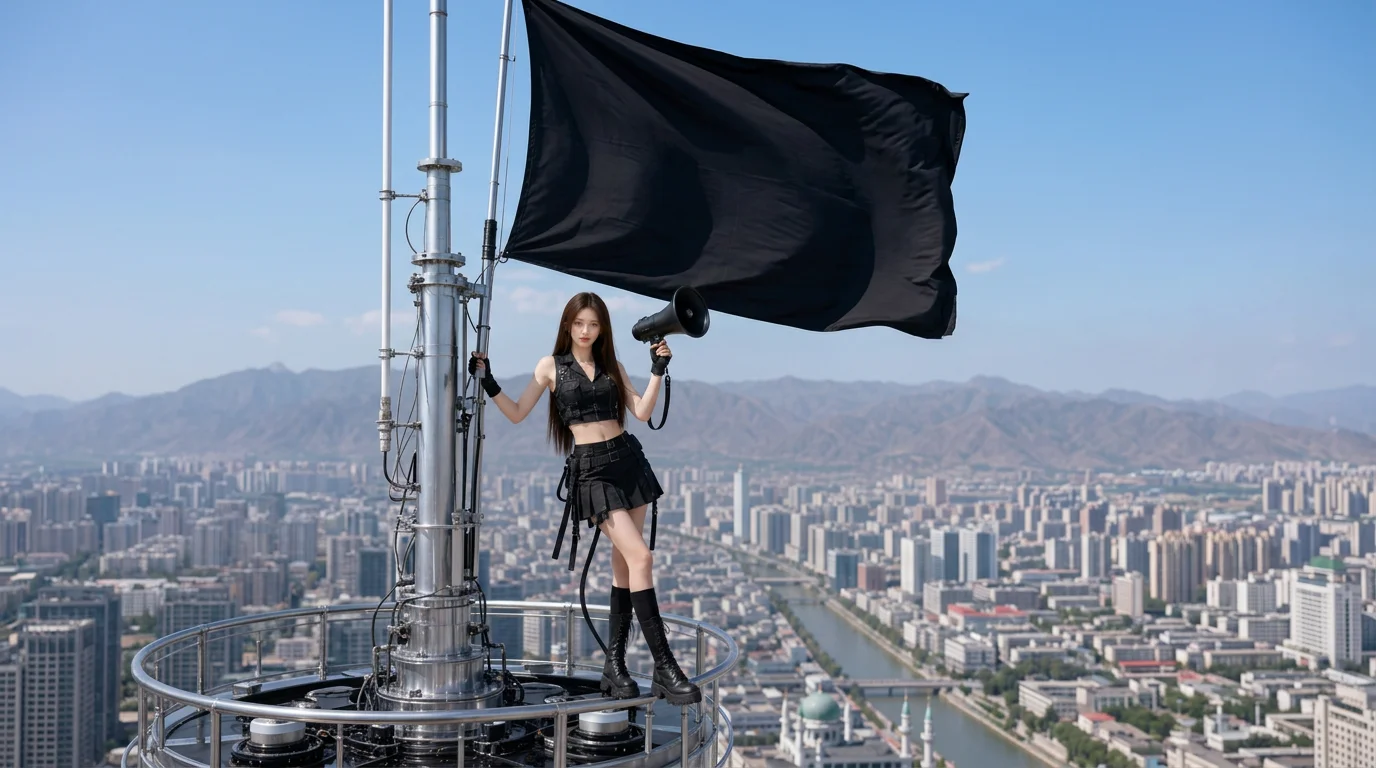
Stand high above Xining, megaphone in hand, and capture blockbuster shots with the vibe of “Listen up, entire city!” That is the official prompt for PixVerse’s 20th Anniversary Sky-High Declaration template — an 8-second V6 effect that perches your subject atop a skyscraper to deliver an epic citywide announcement.
The official preview shows a dramatic rooftop sequence high above the urban skyline, where the subject raises a megaphone to make a powerful declaration with cinematic camera sweeps and golden hour lighting.
See It In Action
What Is the 20th Anniversary Sky-High Declaration Template?
20th Anniversary Sky-High Declaration is an epic cinematic PixVerse image-to-video template powered by PixVerse V6. You upload one photo; PixVerse V6 generates an 8-second vertical rooftop movie shot. Custom prompts are locked to keep the blockbuster atmosphere consistent.
Template details
| Field | Value |
|---|---|
| Template name | 20th Anniversary Sky-High Declaration |
| Template ID | 412424950314048 |
| Output | Video |
| Model | PixVerse V6 |
| Input | 1 photo |
| Duration | 8 seconds |
| Quality | 360p / 540p / 720p / 1080p |
| Audio | Included |
| Custom prompt | Off |
| Launched | Jul 08 2026 |
How it works
- Upload one photo — a clear portrait or well-lit shot works best
- Select 20th Anniversary Sky-High Declaration — search the name in PixVerse templates, or use Template ID
412424950314048 - Generate — PixVerse V6 applies the effect automatically
- Download and share — export the clip for TikTok, Reels, or Shorts
What’s in the Official Preview
- Heroic rooftop vantage point overlooking a sprawling urban cityscape
- Cinematic megaphone action pose delivering a high-energy public declaration
- Sweeping aerial camera motion with dramatic skyline lighting and depth
- High-impact 8-second runtime built for announcements, celebrations, and hype reels
How to Create Your Sky-High Declaration Video
Step 1: Choose a photo
Use a clear, confident portrait or half-body shot. Upright posture and determined expressions amplify the blockbuster vibe.
Step 2: Open PixVerse
Visit PixVerse on web or in the app, then open the template library.
Step 3: Find 20th Anniversary Sky-High Declaration
Search 20th Anniversary Sky-High Declaration or look under newly launched templates. Confirm Template ID 412424950314048.
Step 4: Generate
Upload your photo and generate. The rooftop announcement video is rendered automatically.
Tips
- Well-defined facial features stay sharp during the wide cinematic camera sweep
- Perfect for milestone celebration videos, project launches, and bold social statements
- PixVerse V6 adds realistic skyscraper wind motion and atmospheric city haze
- Download in 1080p for crisp rooftop textures and vast city panorama clarity
Frequently Asked Questions (FAQ)
Q: Do I need to write a prompt? A: No. The template has custom prompts turned off. Upload one photo and generate.
Q: How long is the video? A: 8 seconds, generated with PixVerse V6.
Q: What quality is available? A: 360p, 540p, 720p, and 1080p.
Q: How many photos do I upload? A: One photo. This is a single-image template.
Q: Can I use this for anniversary and milestone posts? A: Yes, it is designed specifically for celebratory declarations, birthdays, and major milestones.
Ready to make your sky-high declaration? Open PixVerse, search 20th Anniversary Sky-High Declaration, and generate from one photo.
Related templates:
- The Hidden Billionaire Reveal — grand billionaire superstar CEO entrance
- After the Fall — dramatic selfie amid burning Colosseum ruins
- Aqua Dive — dreamy romantic underwater kiss in deep blue waters
- Little Gymnast — tiny gymnast on the rings