Nano Banana 2.1 on PixVerse: Images From 14 References
Source-based overview; facts checked Oct 19, 2026. Speed, quality and benchmark claims are vendor-reported unless stated otherwise. Prices and early-access terms change; check provider pages before budgeting.
Last updated: Oct 19, 2026
Nano Banana 2.1 on PixVerse gives creators another option for product stills, character art, campaign visuals, and starting frames for video. PixVerse announced the integration on Oct 17, 2026, reporting support for up to 14 reference images. If your next image needs an approved character alongside specific products or props, try a focused reference set and check the result against those originals. Start with a real project whose details you already know how to evaluate.
What’s New in Nano Banana 2.1
In its Oct 17, 2026 announcement, PixVerse reports these changes:
- More reference context: up to 14 images can inform a generation. Use references to identify the subjects and details your prompt needs to preserve.
- Improved text rendering: PixVerse reports better handling of text within images. For a product concept or poster, supply the exact wording and proofread the output.
- Improved image quality and subject consistency: PixVerse reports both improvements. Check faces, clothing, packaging, and proportions before accepting a still for further work.
Google’s model documentation lists 1K, 2K, and 4K output. Options in PixVerse may vary. Google’s changelog dates general availability to Oct 6, 2026; the PixVerse integration announcement came later.
How to Use Nano Banana 2.1 on PixVerse
PixVerse’s Oct 17, 2026 follow-up directs users to select Nano Banana 2.1 in image creation. In our Oct 19, 2026 interface check, we opened Image, expanded the model picker, opened the Nano Banana group, and selected Nano Banana 2.1. Its settings menu displayed 1080P, 2K, and 4K; we did not generate images to verify output dimensions.
- Open image creation. Switch the creation panel to Image rather than writing a still-image brief in the video panel.
- Choose the model. Open the model picker, expand Nano Banana, and select Nano Banana 2.1. Confirm the selected name before continuing.
- Add your references. Use the image upload control and attach the files relevant to your brief. Follow the uploader’s current limit; our check did not establish the maximum number of accepted files.
- Write the prompt. Identify what each reference contributes, describe the intended composition, and distinguish details to preserve from details to change.
- Review settings and generate. Use the controls shown in your session. Inspect the resulting still against your references before approving it or preparing it for video.
For a first comparison, keep the same source images and creative brief you used previously. Judge whether the result preserves the details your project requires, rather than switching solely because the model has a newer version number.
Tips for 14-Reference Prompts
Google documents up to 14 reference images, with consistency for up to 4 characters and fidelity for up to 10 objects. These describe model capabilities; they do not establish separate character and object upload quotas in PixVerse.
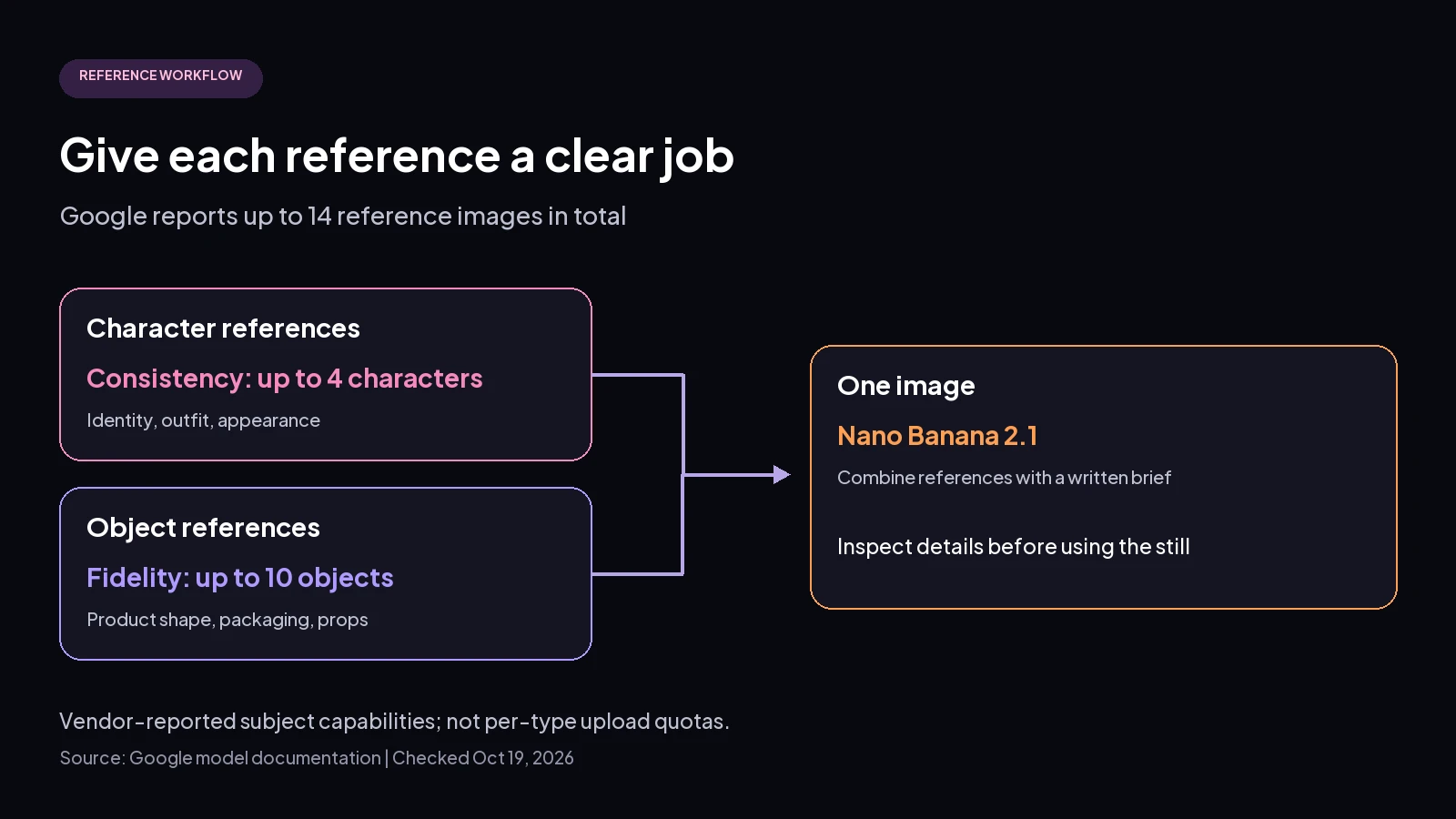 Editorial workflow diagram based on Google’s model documentation; subject capabilities are vendor-reported, not verified PixVerse upload quotas.
Give each file a clear job: character identity, outfit, product shape, or a specific prop. Keep character references separate from object references in your written instructions. For example: “Use the portrait for the person and the bottle photograph for the product; preserve the bottle silhouette and place it beside the person.” This is a suggested prompt, not a tested result.
Use only the references you need. Remove conflicting views or irrelevant props before adding more context. For text, put the exact wording in quotation marks and state where it belongs. For a video starting frame, leave room for the intended movement and review the subject at the final viewing size.
FAQ
How many reference images does Nano Banana 2.1 support on PixVerse?
PixVerse’s Oct 17, 2026 announcement reports up to 14 references. The available upload limit may vary by interface; we did not verify a full-capacity upload in our Oct 19 check.
Where do I find Nano Banana 2.1 in PixVerse?
In image creation’s model selector, as PixVerse instructed on Oct 17, 2026. Our Oct 19 check found it inside the Nano Banana group.
What changed from Nano Banana 2?
Google describes 2.1 as an update improving visual quality, text rendering, and character consistency; see the release guide for the broader model changes.
Create your next reference-based still in PixVerse.