Runway API Alternatives for Real-Time Multi-Model Video
Teams building video features into their own products often start with the Runway API, then hit a wall once they need lower latency, several model options in one call path, or clearer per-render cost math. If that sounds familiar, you are not stuck with a single vendor. A growing set of APIs now support real-time generation and multi-model routing, and picking the right one changes how fast you can ship.
This guide walks through what “real-time” and “multi-model” actually mean for an API integration, surveys the notable options on the market, and explains how the PixVerse API approaches both problems for developers who need to move quickly without giving up quality.
Why Look Beyond a Single Video API
Most video-generation APIs were built around one thing: submit a prompt, wait, get a clip. That pattern works for batch content but breaks down for interactive products — live previews, in-app editors, chat-driven creation tools — where users expect feedback in seconds, not minutes.
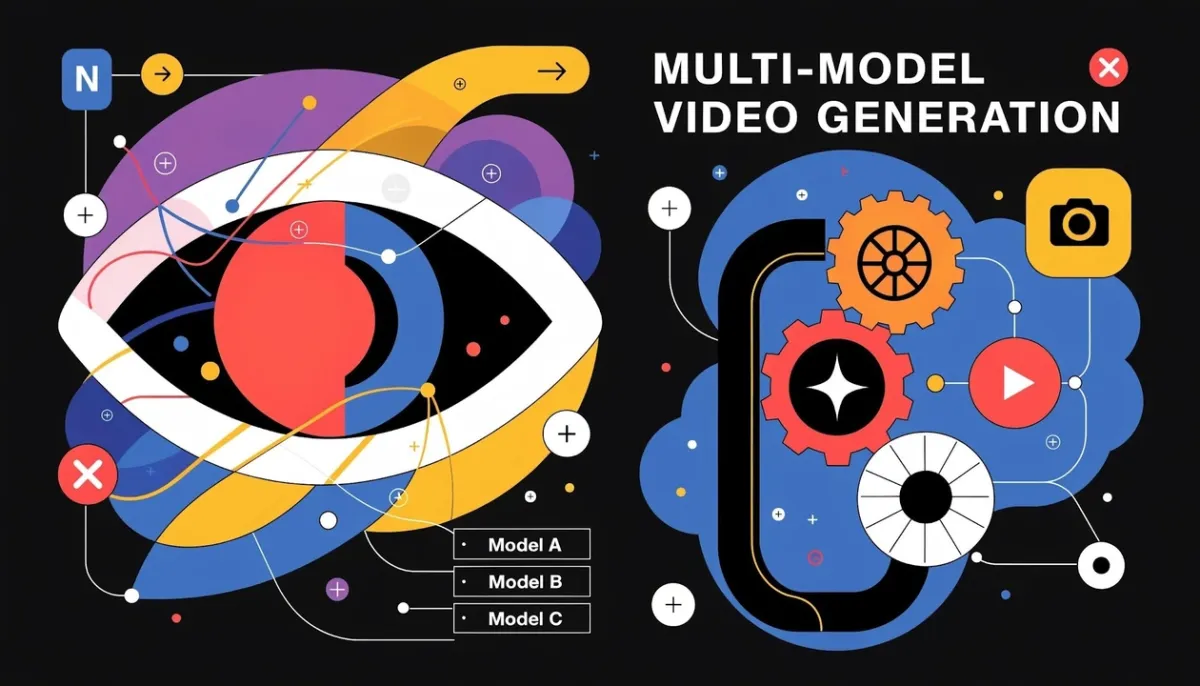
A second limitation is model lock-in. If your API only exposes one house model, you cannot swap in a faster or cheaper option for a given shot without switching providers entirely. Multi-model APIs solve this by letting a single integration route requests across several underlying models, so you pick the right trade-off per request instead of per contract.
Notable Runway API Alternatives
PixVerse API
The PixVerse API gives developers programmatic access to PixVerse’s proprietary model lineup, including a real-time generation path built for low-latency use cases, alongside text-to-video, image-to-video, lip sync, and editing endpoints in one platform. Because the model roster lives behind a single API, teams can call whichever model fits a given feature — fast preview generation in one endpoint, higher-fidelity output in another — without juggling separate vendor accounts.
Kling AI
Kling AI’s API targets marketing and content-automation workflows, with an emphasis on plugging into existing production pipelines with minimal setup. It is a reasonable fit for teams that want automation-first tooling over deep real-time interaction.
Seedance
Seedance exposes generation and editing capabilities aimed at creators and social teams producing content at volume. Its API strengths sit more on batch-style content creation than sub-second interactive response.
Luma
Luma’s API and platform lean toward collaborative production, where multiple team members iterate on the same project with shared feedback loops. That collaboration layer matters more for studio-style workflows than for embedding real-time generation into a consumer app.
Pika
Pika keeps its API surface simple, prioritizing ease of integration over an extensive feature set. It suits teams that want a quick, low-complexity generation endpoint without needing multi-model routing.
What to Look for in a Real-Time, Multi-Model API
Choosing among these options comes down to a few concrete criteria rather than marketing claims:
- Actual latency under load. “Real-time” should mean usable response times at production traffic, not just in a demo.
- Model breadth behind one integration. Fewer vendor contracts and fewer SDKs to maintain when multiple models sit behind a single API.
- Transparent, predictable pricing. Per-second or per-render cost tables that let you forecast spend before you scale traffic.
- Documentation and support quality. Faster integration and fewer support tickets when docs are complete and current.
Getting these right up front saves significant rework later, especially once a feature is live and traffic patterns are harder to predict.
Who Needs Real-Time, Multi-Model Video APIs
- E-commerce platforms generating product video previews on the fly as sellers upload new photos.
- Marketing and ad tech tools that need to spin up dozens of ad variants quickly and route each to the model best suited for its style.
- Edtech products rendering adaptive video content in response to a learner’s input.
- Consumer apps and creator tools where users expect a generation preview to appear almost as soon as they submit a prompt.
Across these cases, the API is invisible to the end user — what they notice is whether the video shows up fast enough to keep them engaged.
How PixVerse Handles Multi-Model Integration
PixVerse’s API architecture is built around two pieces that work together: a unified multimodal foundation layer that lets a single request draw on different generation capabilities, and a low-latency response path purpose-built for real-time use cases.
The multimodal foundation means developers are not choosing between “the fast model” and “the good model” as separate products — the routing happens within one coherent system, so output stays consistent even as you dial latency or fidelity up or down for a given feature. On top of that, the low-latency path is what makes in-app preview generation and interactive editing feel responsive rather than like a batch job with a spinner.
For a closer look at how this stacks up feature-by-feature against Runway’s own API, see our PixVerse vs Runway comparison.
Pricing, Integration Effort, and Developer Experience
PixVerse publishes per-second credit pricing across its models, so you can estimate the cost of a given feature before writing production code, rather than discovering pricing surprises after launch. The PixVerse API documentation covers authentication, endpoint references, and example requests for each model path, which shortens the time from signup to a working integration.
That transparency matters most once a feature scales: knowing the per-render cost of your real-time preview endpoint lets you set usage limits or pricing tiers on your own product with confidence, instead of estimating from a black-box subscription.
Integration Best Practices
- Map features to models before writing code. Decide which endpoints need real-time response and which can tolerate a longer batch turnaround, then route accordingly.
- Build in graceful fallbacks. Treat generation latency as a variable, not a constant, and design your UI to handle both fast and slower responses cleanly.
- Use the published pricing tables during design, not after launch. Forecasting cost early avoids re-architecting a feature once it is in front of users.
Resources for Developers
- API documentation: Endpoint references, authentication, and request examples at docs.platform.pixverse.ai.
- Platform access: Explore the full feature set at app.pixverse.ai.
- Product updates: Track new model releases and API changes on the PixVerse blog and news section.
- Partner opportunities: Teams building on top of PixVerse can also explore the PixVerse affiliate program.
Frequently Asked Questions
Is the PixVerse API suitable for real-time, in-app video previews? Yes. Its low-latency response path is designed specifically for interactive use cases like live previews and in-app editors, not just batch rendering.
Can one API call route to different models depending on the use case? With PixVerse, model selection happens within a single unified API, so you can pick the model that fits a given feature’s latency and quality needs without integrating a separate vendor.
How does pricing compare across these alternatives? PixVerse publishes per-second credit pricing, which makes cost forecasting straightforward. Other providers vary between subscription tiers and custom enterprise quotes, so confirm current pricing directly with each vendor before committing.
Related Resources
- PixVerse vs Runway: AI Video Platform Comparison 2026
- PixVerse API Integration Guide: Ship AI Video in Your App
- Runway Aleph Alternatives: 9 AI Video Tools Compared
- Best AI Video Generators
Ready to build with a real-time, multi-model video API? Get started with PixVerse.