PixVerse API Integration Guide: Ship AI Video in Your App
Shipping video features used to mean hiring a production team or bolting on a clunky third-party embed. Now it means calling an API. Send a prompt or an image, get back a rendered clip, and drop it straight into your product, campaign, or content pipeline. The hard part isn’t finding an API that generates motion anymore — plenty do. The hard part is picking one that fits your stack, your input types, and your quality bar without forcing a rebuild six months later.
This guide walks through how to plan a video API integration, what PixVerse’s developer platform actually offers, and where it sits relative to other tools builders reach for — Runway, Synthesia, HeyGen, Luma, InVideo AI, Creatify, and Pika. It’s written for engineers and product teams evaluating a build, not just marketers browsing feature lists.
Start With Your Input Type, Not the Model List
Before comparing platforms, figure out what your app actually feeds into the pipeline. Most integrations fall into one of two buckets, and the right API depends on which one you’re solving for.
Text-first workflows need strong prompt understanding — scripts, ad copy, or user-typed descriptions turned into a coherent clip. Image-first workflows start from something that already exists — a product photo, a UI mockup, a piece of key art — and need that asset animated without losing its identity. A lot of teams need both, which is why single-model APIs tend to become a bottleneck once a product roadmap grows past its first use case.
Inside the PixVerse Developer Platform
PixVerse runs the same model stack behind its consumer app and its Platform API, so anything a creator can test manually in the browser can also be triggered programmatically. That matters during development — you can prototype a prompt in the UI, then wire the exact same request into your backend once it behaves the way you want.
Model options exposed through the API
- PixVerse V5.6 — the general-purpose workhorse for both text-to-video and image-to-video requests, suited to teams that need one reliable endpoint for most jobs.
- PixVerse V6 — tuned for higher-fidelity, prompt-driven generation when output quality matters more than raw throughput.
- PixVerse R1 — built for real-time, low-latency synthesis, which opens up interactive use cases that batch-rendering APIs can’t touch. The PixVerse R1 real-time world model guide covers the architecture in more depth.
How requests move through the pipeline
A typical job — text-to-video, image-to-video, or an extension request on an existing clip — gets submitted to the API, processed asynchronously, and returned either through polling or a webhook callback. That async-plus-webhook pattern is what makes it practical to embed generation inside an app instead of asking a user to sit and wait on a loading spinner.
Where it plugs into existing systems
Because the API is documented as a standard REST surface, it drops into whatever you’re already running — a CMS publishing pipeline, an internal ops dashboard, a mobile app’s upload flow, or a marketing team’s campaign tool. Full endpoint references, including text-to-video generation and model pricing, are in the platform docs.
What Text-to-Video Actually Does Under the Hood
A text-to-video request isn’t a single model call — it’s a small pipeline. The API parses the prompt for scene intent, plans motion and composition, generates frames, and renders a final clip, syncing audio when the request calls for it.
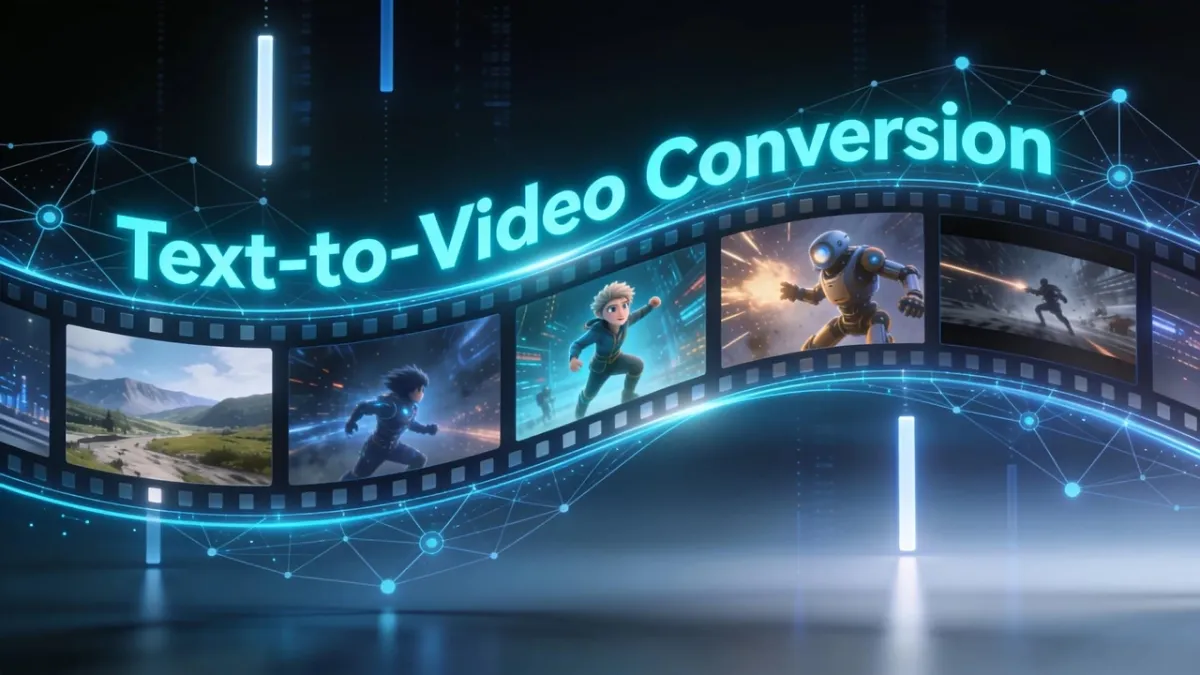
Knowing this matters for integration planning: prompt quality drives output quality more than any API parameter you’ll tune, so the fastest path to good results is usually testing prompt structure in the app before you automate it.
What Image-to-Video Solves That Text Can’t
Image-to-video exists for teams that already have visual assets and need them in motion — product photography, key art, UI screens, brand illustrations. Instead of describing a scene from scratch, you hand the API a reference image, and it animates from there while preserving the subject’s identity.
This is the workflow ecommerce teams use to turn lookbook stills into promo clips, the one education teams use to turn static infographics into explainers, and the one app developers use to animate onboarding screens from existing mockups. Because PixVerse exposes the same image-to-video path in both the consumer app and the API, you can validate a reference image manually before locking it into an automated pipeline.
How PixVerse Compares to Other Video APIs
Every platform in this space claims “AI video generation,” but they’re not solving the same problem. Here’s a straight comparison based on public positioning and documentation as of mid-2026.
| Tool | Best fit | API depth |
|---|---|---|
| PixVerse | Teams needing both manual creator tools and a full programmatic API on one model stack | Text-to-video, image-to-video, extension, webhooks |
| Runway | Cinematic experimentation, heavy manual editing control | Available, geared toward creative workflows |
| Synthesia | Avatar-led training and instructional video | Focused on presenter-style output |
| HeyGen | Personalized, avatar-driven messaging at scale | Strong for localization and sales/support use cases |
| Luma | Cinematic image-to-video, concept visuals | Narrower automation surface |
| InVideo AI | Template-heavy marketing clips, fast turnaround | Limited deep customization |
| Creatify | Rapid ad creation from a brief | Built for speed over flexibility |
| Pika | Experimental, stylized short clips | Best for exploration, not production pipelines |
Runway remains a strong pick when a creative team wants granular, cinematic post-processing. Synthesia and HeyGen fit avatar-first training or sales content. Where PixVerse tends to win integration decisions is breadth: one API surface that covers general-purpose generation, real-time synthesis, and image-led workflows, backed by documented endpoints and webhook support instead of a single-purpose model wrapper.
Planning Your Integration: A Practical Checklist
- Map your input type first. Decide whether your product mainly needs text-to-video, image-to-video, or both — this determines which endpoints you’ll actually use.
- Prototype in the app before you automate. Test prompt structure and reference images manually, then carry the winning pattern into your API calls.
- Design for async from day one. Treat generation jobs as background work with webhook callbacks, not a blocking request your UI waits on.
- Budget by resolution and duration. Pricing tiers scale with output quality and clip length, so estimate volume before committing to a plan — check the model pricing docs for current rates.
- Set a review gate. Automated output still needs a quality check for brand accuracy, motion stability, and audio sync before it ships to end users.
- Instrument the pipeline. Track completion rate, render failures, and cost per clip so you can catch regressions before they affect customers.
If you’d rather script and test generation from the command line before writing app code, the PixVerse CLI guide covers generating videos and images directly from your terminal.
Common Integration Patterns
- In-app content generation: A mobile app lets users upload a photo and calls the PixVerse API server-side to return a shareable clip.
- Campaign automation: A marketing ops tool submits batches of product photos and prompt variants to generate ad creative at scale, then routes finished clips to a review queue.
- Internal tooling: A CMS or dashboard triggers video generation as part of a publishing workflow, so editorial and video output stay on the same release cycle.
Frequently Asked Questions
Do I need separate API keys for text-to-video and image-to-video? No — both request types run through the same PixVerse Platform API using a single authenticated setup, so you don’t need to manage separate integrations for each input type.
Can I test prompts in the browser before wiring up the API? Yes. Because PixVerse’s consumer app and API share the same model stack, you can validate a prompt or reference image manually in the PixVerse create app before automating it.
What’s the difference between V5.6, V6, and R1 for API use? V5.6 covers general-purpose text-to-video and image-to-video work, V6 pushes higher fidelity for prompt-driven generation, and R1 is built for real-time, low-latency synthesis in interactive use cases.
How is pricing structured? Costs scale with resolution, duration, and monthly volume, similar to most credit-based video API pricing. Check the model pricing guide for current tiers.
Related Resources
- Best Text-to-Video AI Generator — a closer look at prompt-driven generation quality
- Best Image-to-Video AI Tool — comparing image-led animation workflows
- PixVerse vs Runway — a head-to-head for teams choosing between the two
- PixVerse R1: Next-Generation Real-Time World Model — architecture behind the real-time model
- PixVerse CLI Guide — generate videos and images from your terminal
Ready to wire video generation into your product? Start with the PixVerse API documentation or try a prompt first in the PixVerse create app.