Pika Pricing vs PixVerse: Which Has Better Value?
Pika and PixVerse use different credit systems, models, and workflows, so the cheapest-looking plan is not always the best value. The useful comparison is not a single headline price; it is how much usable video a creator can produce for a specific job, including resolution, duration, audio, retries, and the production steps that happen after generation.
This guide compares the two platforms by current public pricing mechanics and workflow fit. Plans, credits, limits, and model availability change often, so confirm the final estimate in the relevant checkout or account view before purchasing credits at scale.

Pika Pricing and PixVerse Pricing at a Glance
Pika’s public subscription page lists a free plan and paid monthly plans with a fixed credit allowance. The credits needed for a generation vary by model, resolution, duration, and feature. Its API offering separately uses usage-based pricing, so a web subscription and an API project should be evaluated as different products.
PixVerse platform pricing is based on credit consumption per second and generation setting. For example, the current PixVerse pricing documentation lists V6 at 9 credits per second for 720p without audio and 12 credits per second with audio; 1080p uses more credits. The same page’s current reference calculation is $1 = 5 videos for V6 at 720p, 5 seconds, without audio. V6 at 1080p is listed at 18 credits per second without audio and 23 credits per second with audio. Account-level pricing and promotions can still change.
| Comparison area | Pika | PixVerse |
|---|---|---|
| Consumer plan pattern | Free and paid subscriptions with monthly video credits | Credit consumption varies by model, duration, resolution, and audio setting |
| Generation cost | Depends on the selected Pika model, effect, duration, and resolution | Published per-second credit rates make it possible to estimate a selected V6 or C1 workflow |
| Workflow focus | Quick creation and Pika-specific scenes, effects, swaps, and twists | Text-to-video, image-to-video, reference, transition, extension, audio, effects, and specialized mini apps |
| Best way to compare | Calculate the exact credits for the format you need | Calculate expected seconds, resolution, audio, and retry budget before purchase |
The table is a decision framework, not a permanent price sheet. Check Pika’s current plans and PixVerse billing documentation immediately before committing to a plan.
On September 27, 2026, that Pika page listed Free at 0 monthly credits (packs only), Starter at $10/month for 900 credits, Creator at $35/month for 3,150 credits, and Fancy from $95/month for 8,550 credits, plus an enterprise option. Top-up credits on the same page are for Pika Create on pika.art and are separate from API use. Treat these figures as a dated snapshot.
How to Compare Output per Dollar Fairly
Do not compare raw credits across platforms. A credit is not a standardized unit of video quality or duration. Compare one concrete production task instead.
For example, define a brief such as: five vertical 10-second product videos at 720p, with three opening variations and one approved final. Then price the complete workflow, including the generations likely to be rejected during review. This creates a more realistic cost estimate than assuming every first result will be usable.
Include these variables in the calculation:
- Duration and resolution: Longer clips and higher resolutions usually use more credits.
- Audio: Native audio, music, or sound-effect options may affect the price and the number of tools needed afterward.
- Retries: Add a buffer for prompt iteration, subject consistency, and quality control.
- Output format: A 9:16 social version and 16:9 landing-page version may require separate renders or edits.
- Production time: A lower generation cost can be offset by lengthy manual cleanup or asset handoffs.
What PixVerse Offers for Production Workflows
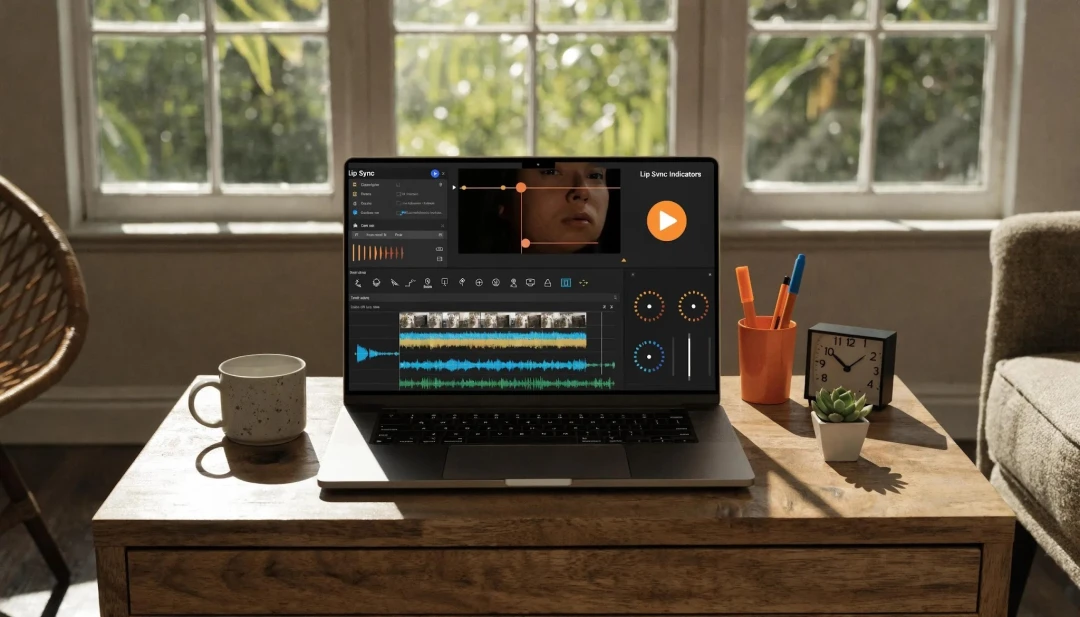
PixVerse is useful when a project needs more than a standalone effect. The current platform supports text-to-video and image-to-video creation, along with applicable reference, transition, extension, native-audio, and specialized workflows. PixVerse V6 supports generation up to 15 seconds at 1080p with multiple aspect-ratio options, helping teams plan social clips, ads, and short narrative scenes from the same creative brief.
For marketing teams, the benefit is a single place to test a product image, a prompt-based scene, and a version tailored for a campaign. For creators, the important question is whether the output produces enough approved assets per review cycle, not whether one generation has the lowest theoretical cost.
Where Pika Can Be a Good Fit
Pika can be a reasonable choice for creators who want to explore its specific effects, scenes, twists, or short creative experiments. The free tier also gives a low-commitment way to test its interface and the kind of results a specific model produces.
It may be less suitable for a team that needs a broad, repeatable production path across product animation, commercial storytelling, reference-led creation, and several output formats. That is not a universal rule: the right tool depends on the required result and the creative direction, not simply on the size of a credit balance.
Use Cases and ROI Questions
Social and Creator Content
For a solo creator producing short experiments, a subscription with enough credits for regular posting may be more important than advanced integrations. Test both platforms with the same prompt and review how well each result fits your style, duration, and publishing format.
E-commerce and Product Marketing
Teams making product creative should measure the full cost of approved variations. Start from the real product image, preserve product identity, and account for brand review. PixVerse Ad Master is designed for product-led video concepts and campaign variations, which can reduce the time between a creative brief and a reviewable video asset.
Production and Enterprise Workflows
For a team, value includes more than credits. Consider concurrency, collaboration, API requirements, output rights, brand review, and whether the tool covers the steps that otherwise require additional software. A platform that costs more per raw second can still be more economical if it produces fewer rejected assets or removes a separate production task.
A Simple Evaluation Checklist
Before choosing a tool, run the same small test on both platforms:
- Choose one real brief and one target format.
- Generate enough variations to pick an approved direction.
- Record the credits, time, retries, and editing work required.
- Review visual consistency, prompt adherence, audio, and export quality.
- Compare the cost of the approved deliverable—not just the cost of each attempt.
This keeps the decision grounded in the work you actually need to ship.
Which Tool Offers Better Value?
Pika can offer good value when its specific creative features match a lightweight, exploratory workflow. PixVerse can offer stronger value when a creator or team needs flexible video-generation modes, richer production options, and a credit model that can be estimated from duration, quality, and audio settings.
The best answer is the tool that produces an approved result with the fewest unnecessary retries and handoffs. Use current prices as the starting point, then test the workflow with your own brief before scaling a subscription or credit purchase.
Related Resources
- 10 Best AI Video Generators 2026: Free, Paid, Tested
- Best AI Video Ad Generators 2026: PixVerse, Creatify, HeyGen
- How to Turn Product Photos into Video Ads with PixVerse AI
Official source: PixVerse.