AI Ad Video Cost per Second (2026): Model Comparison
Source-based overview; facts checked Oct 14, 2026. Benchmark results are vendor-reported.
For an advertiser, the useful question about AI video cost is how much it takes to produce an approved ad. A low price per generated second is attractive, but a clip with an unreadable label or a changing product shape still needs another attempt.
Boreal-H3 puts that tradeoff in focus: Creatify positions it as an advertising specialist built on MiniMax H3. Below, we separate published generation prices from vendor quality claims, then explain how to evaluate both against an ecommerce brief. At PixVerse, we also look at the production steps around the model: product inputs, variants, review, and delivery.
For the broader tool landscape, see our AI video generator comparison for ads and ecommerce.
What Is a Post-Trained Ad Model?
A vertically post-trained model starts with an existing foundation model and receives further training for a specific field. Here, “vertical” means advertising; it does not mean portrait video. The aim is to improve the behaviors that matter in that field, rather than build every video capability from scratch.
In Creatify’s Boreal-H3 technical report, MiniMax H3 is the base. Creatify describes a feedback loop covering data, model training, and inference. Its team evaluates failures, chooses a targeted intervention, and checks the resulting candidate. The report discusses supervised fine-tuning and reinforcement learning as tools within that process.
The practical distinction is between directing a generation with a prompt and changing the system that produces it. Post-training targets recurring failures across briefs. Creatify’s stated priorities include product integrity, creator identity, brief execution, realism, motion, and continuity. Use these objectives to design a trial with your own product assets.
When evaluating an ad-specialist model, ask to see the same product under different camera moves and handling actions. A polished showcase alone cannot tell you how reliably the specialization transfers to your catalog.
AI Ad Video Cost per Second: Vendor Price Snapshot
Compare the USD output-generation rates alongside each provider’s resolution and billing method:
| Model and provider | Output setting | Published cost per second | Source and attribution |
|---|---|---|---|
| Boreal-H3 through Creatify | 768p | $0.04 | Creatify model page; advertised as half the MiniMax H3 list price at this resolution |
| MiniMax H3 through MiniMax | 768p | $0.08 | MiniMax’s official API pricing; output list price |
| Seedance 2.5 through fal | 720p with audio, standard 16:9 case | Approximately $0.4730, or about $0.47 | fal’s endpoint pricing; provider estimate under token billing |
Creatify’s launch release compares Boreal-H3 with Seedance 2.5 at roughly $0.47 per second. fal publishes a similar approximate rate for its own endpoint. This ties the Seedance figure to a specific serving provider and configuration.
For scale, multiplying these rounded rates by 10 generated seconds gives illustrative output charges of $0.40, $0.80, and approximately $4.70 respectively. fal calculates the final charge using its token formula, which accounts for frame area and duration.
Keep the resolution qualifier attached to the discount. Creatify lists Boreal-H3 at $0.12 per second for 1088p and $0.26 for 2K on the same model page. Price the resolution required for the final deliverable.
MiniMax separately lists input-material charges, including charges for reference video and additional images beyond its free allowance. Confirm the selected endpoint, references, audio, resolution, and account terms before estimating a batch.
Compare the Cost of Approved Ads
Use the price table to plan a trial, then measure the work you actually keep. A useful accounting rule is:
Cost per approved ad = total generation and finishing spend ÷ approved ads.
For this calculation, include rejected generations, editing, captions, voice work, and review time where applicable. Keep media buying separate so production cost and campaign performance remain visible.
Set the acceptance criteria before generating. Otherwise, a visually impressive clip can distract reviewers from a wrong package size or missing selling point. Use the same reference assets, brief, duration, and placement requirements across providers, and record any setting that cannot be matched.
Also distinguish a usable shot from a finished ad. A clean product close-up may still need a hook, an offer, captions, and an ending. Compare tools at the same stage of production, or document the extra work needed to reach the final deliverable.
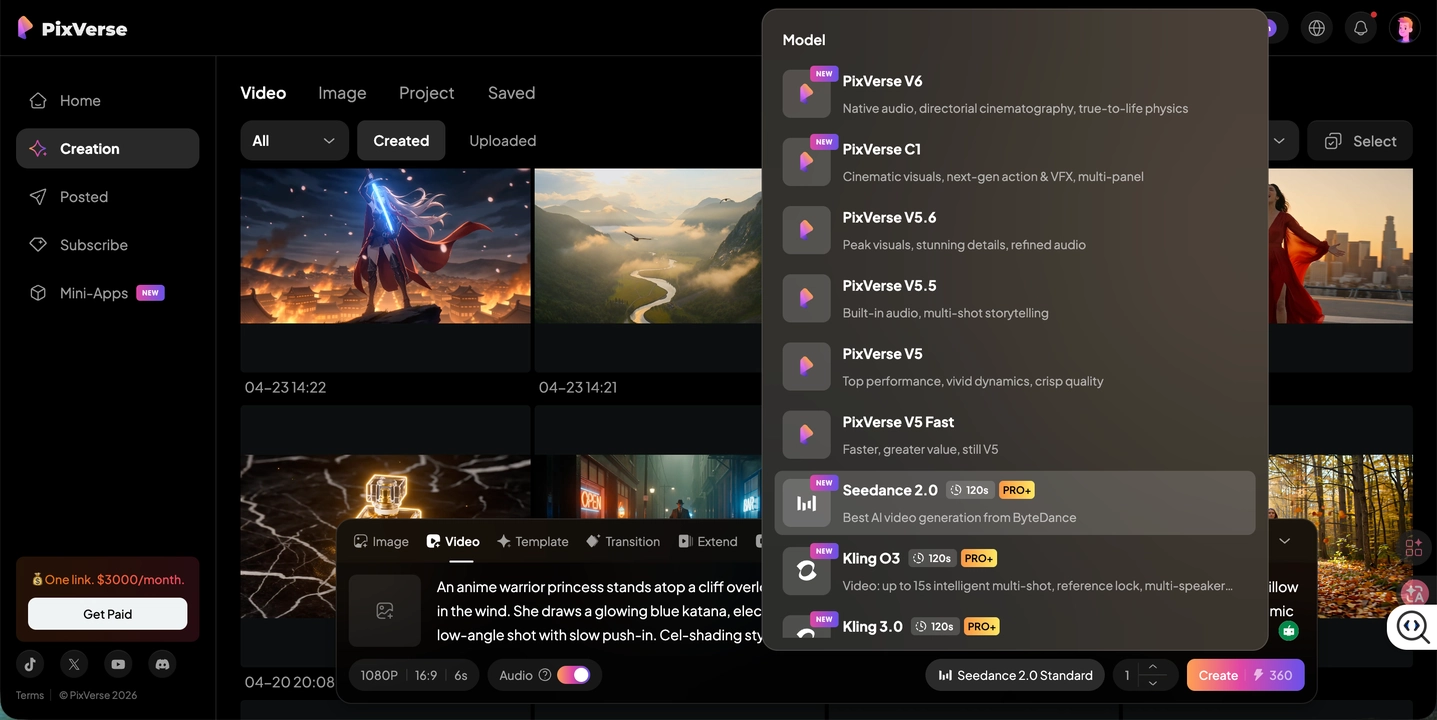
Model-selection example from our Seedance 2.0 review. Record the exact model and generation settings when comparing trial costs.
Three Things Advertisers Should Check First
Creatify’s Boreal-H3 model page emphasizes readable labels, preserved packaging geometry, and stable identity. Treat those vendor claims as a useful test agenda, then check your own outputs.
1. Legible Labels
Review the product name, logo, variant, and any visible quantity against the source image. Check moving frames as well as the opening and ending: pause during a camera turn, a hand movement, and a change in lighting.
Do not approve a label simply because it looks like plausible text. Compare the actual characters. If small print matters to the ad, consider a controlled product card or an approved still rather than depending entirely on generated lettering. Review the result at the intended viewing size as well as enlarged.
2. Undistorted Packaging
Watch the silhouette, cap, seams, handle, and product count. For a bottle, inspect whether the neck changes width when the presenter picks it up. For a pouch, check whether an extra opening or fold appears during rotation.
Include an interaction in the test brief if the campaign needs one. An isolated hero shot does not test how the model handles gripping, opening, or pouring. Ask the reviewer to compare the generated object with the reference throughout the action, rather than judging the scene’s overall attractiveness.
3. Consistent People
For presenter-led creative, compare the face, hair, clothing, and hands across the clip. Check continuity through head turns and product handling, then review whether speech and expression fit the script.
Keep identity consistency separate from persuasive delivery. A presenter can remain recognizable while delivering an awkward hook. Record both issues so the next iteration addresses the right problem. For a sequence assembled from several shots, review the joins as well as each individual generation.
What the Ads Quality Index of 133.3 Means
Creatify’s vendor-reported Ads Quality Index is 133.3 for Boreal-H3. In Creatify’s published launch methodology, MiniMax H3 is normalized to 100. A clip passes when prompt following, reference consistency, and visual realism each receive at least 6 out of 10. The index compares joint pass rates against that baseline.
Creatify’s vendor-reported methodology uses anonymized, randomized human studies and automated judges checked against human preferences. The evaluation measures creative execution before launch; live campaign testing measures conversion. Its limits include the selected briefs, reference assets, scoring thresholds, and company-run evaluation procedure.
The technical report gives vendor-reported, rounded underlying joint pass rates of 35.3% for Boreal-H3 and 26.5% for MiniMax H3. The 133.3 index therefore expresses relative pass rates, rather than a percentage of successful ads or a sales uplift.
To apply the findings, ask whether your product category and failure cases are represented, and whether the comparison can be reproduced with the configurations you intend to buy. Track your own production acceptance rate alongside campaign results so reviewers and media buyers can evaluate their respective outcomes.
Where PixVerse Growth Studio Fits
The model comparison helps with shot generation. The next question is how your team turns product information into a repeatable supply of reviewable ads.
As our Growth Studio overview explains, Growth Studio starts from a product URL or catalog item and produces batches of distinct video ads without an intermediate prompting step. Teams choose markets, languages, channels, formats, and durations, then review the resulting creative directions. They can confirm the planned video count and cost before generation.
That workflow fits a different buying question: how much setup and finishing work does the team need for a batch? Evaluate it alongside model quality, using the same label, packaging, and presenter checks. Use the confirmed batch cost to compare the complete production workflow with your current process.
For connected catalog production, the Meta Catalog integration announcement describes generating and reviewing product videos, then publishing approved assets back to the matching catalog items.
Frequently Asked Questions
How Much Does AI Ad Video Cost per Second?
The compared output rates start at $0.04 per second for Boreal-H3 at 768p, followed by MiniMax H3 at $0.08 per second at 768p. fal lists Seedance 2.5 at approximately $0.47 per second for its specified 720p/audio configuration. The source links and billing settings appear in the comparison table above.
What Is a Vertically Post-Trained Video Model?
It is a foundation model further trained for a particular field. For advertising, that can mean targeting product integrity, consistent people, and faithful execution of a creative brief. Boreal-H3 applies this approach to MiniMax H3, as described in Creatify’s technical report linked above.
Does a Higher Ads Quality Index Mean Better Ad Performance?
The vendor-reported index measures relative pass rates on creative-execution tests. Use it to select models for a production trial, then measure audience response through campaign testing. For Boreal-H3, 133.3 is indexed against MiniMax H3 at 100.
How Do I Calculate the Cost of a Finished AI Video Ad?
Add generation charges, rejected attempts, finishing work, and review costs, then divide by the number of approved ads. Record production cost separately from media spend. This makes it easier to compare a raw model endpoint with a workflow that also organizes ad variants and review.
Related Resources
- Best AI Video Generators for Ads and Ecommerce
- How to Turn Product Photos into Video Ads
- How to Make TikTok Ads with AI Video
Once you have a product brief and clear approval criteria, PixVerse Growth Studio is a natural place to explore whether a product-to-ad batch workflow fits your team. Start with the outputs your reviewers accept, then use the confirmed batch cost to plan the next test.