Hot Templates
Vintage Riviera: Create a Shareable Result on PixVerse
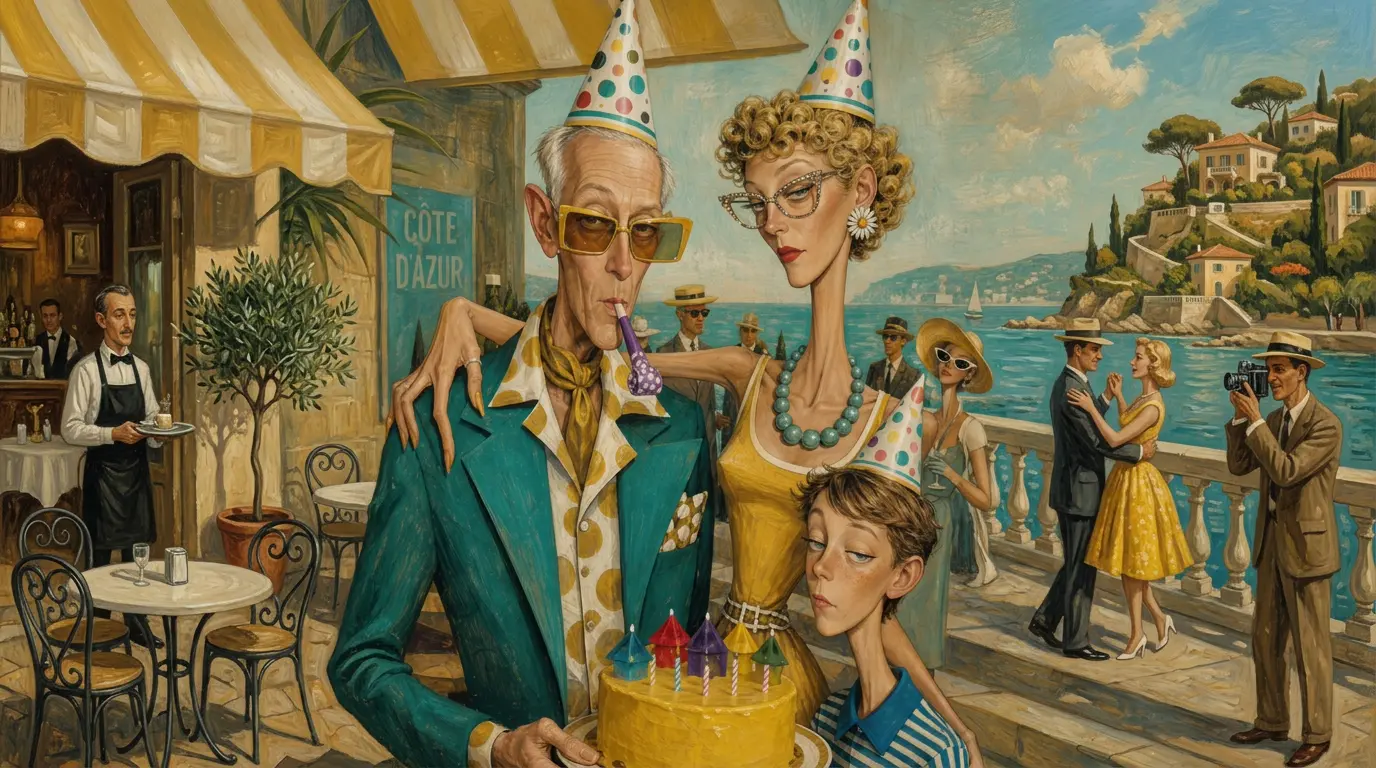
Transform any image into an eccentric vintage illustration. Upload one photo and start. PixVerse applies the official template prompt automatically.
See It In Action
What Is the Vintage Riviera Template?
Upload one photo and start. PixVerse applies the official template prompt automatically.
Template details
| Field | Value |
|---|---|
| Template name | Vintage Riviera |
| Template ID | 410140224809728 |
| Output | Image |
| Model | Qwen Image |
| Input | 1 photo |
| Duration | Single image |
| Quality | 360p / 540p / 720p / 1080p |
| Custom prompt | Off |
| Launched | Jun 25 2026 |
How to Create
- Choose a clear photo with the main subject easy to see.
- Open PixVerse and search for Vintage Riviera.
- Upload one photo and select Template ID
410140224809728. - Generate the template; no custom prompt is needed.
What’s in the Official Preview
- Transform any image into an eccentric vintage illustration.
- The official preview follows the published template concept.
- The effect is designed for one clear source photo.
Frequently Asked Questions (FAQ)
Do I need to write a custom prompt?
Generate the template; no custom prompt is needed.
What output does it create?
Image from Qwen Image, with the published template settings.
How do I start?
Open PixVerse and search for Vintage Riviera.
Open PixVerse and search for Vintage Riviera.
Related templates