Tiny Pet Highway Getaway: Put Your Pet Behind the Wheel
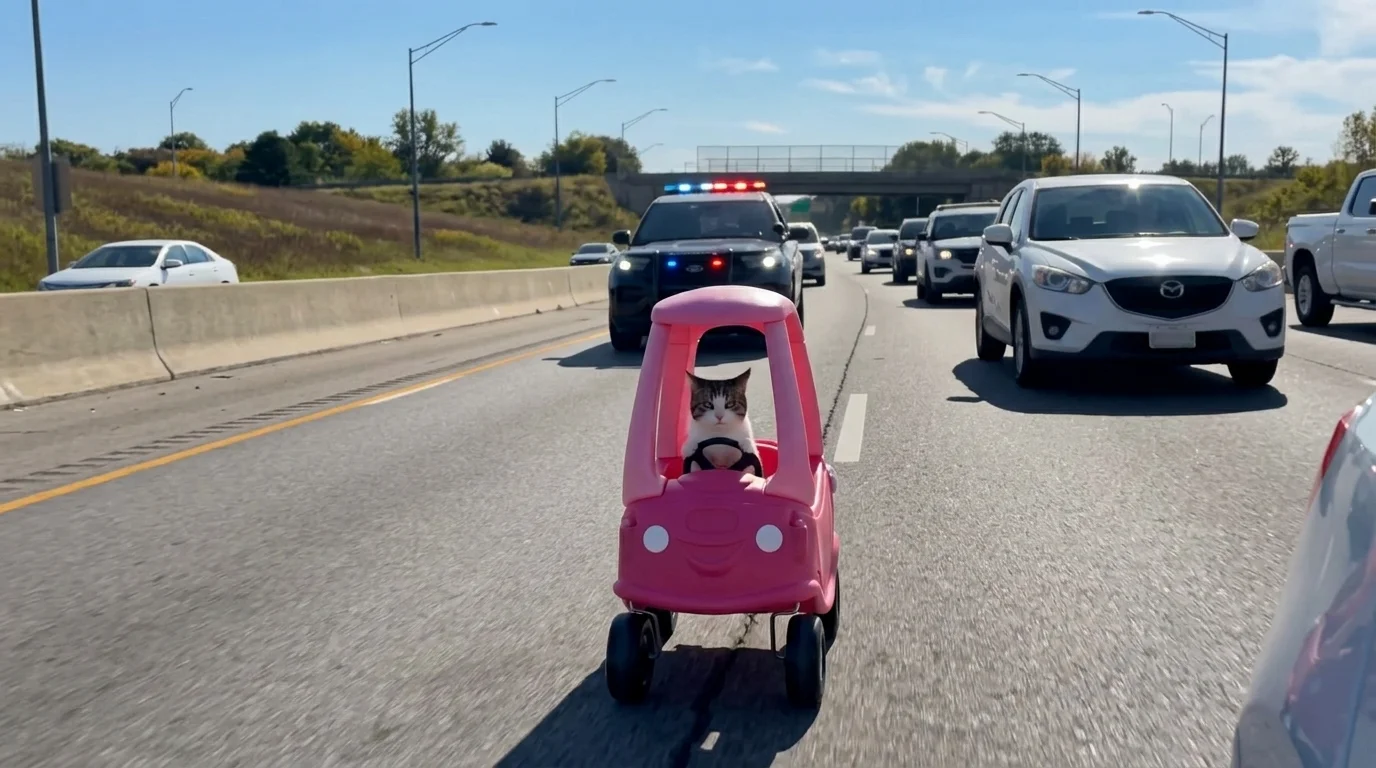
POV: Your pet got a driver’s license before you That is the official prompt for PixVerse’s newly launched Tiny Pet Highway Getaway template — a single-photo PixVerse V6 video effect that brings your subject to life.
The official preview showcases a vivid scene rendered in full motion, delivering crisp visuals and engaging pacing. The same one-click creation flow works seamlessly with a portrait of you, a friend, family member, or a pet.
See It In Action
What Is the Tiny Pet Highway Getaway Template?
Tiny Pet Highway Getaway is a new PixVerse image-to-video template. You upload one photo; PixVerse PixVerse V6 generates a 15-second video clip. You do not need to write a prompt — the template prompt is locked so the resulting effect stays consistent.
Template details
| Field | Value |
|---|---|
| Template name | Tiny Pet Highway Getaway |
| Template ID | 415924569628864 |
| Output | Video |
| Model | PixVerse V6 |
| Input | 1 photo |
| Duration | 15 seconds |
| Quality | 360p / 540p / 720p / 1080p |
| Audio | Included |
| Custom prompt | Off |
| Launched | Jul 28 2026 |
How it works
- Upload one photo — a clear portrait or well-lit shot works best
- Select Tiny Pet Highway Getaway — search the name in PixVerse templates, or use Template ID
415924569628864 - Generate — PixVerse PixVerse V6 applies the effect automatically
- Download and share — export your 15-second clip ready for TikTok, Reels, or Shorts
What’s in the Official Preview
The official template preview delivers a rich visual experience with dedicated motion styling:
- Dynamic subject staging that preserves the character of your uploaded photo
- Thematic background environment aligned with the official scene
- Fluid camera work and motion tailored for short-form video feeds
- High-fidelity textures, lighting, and color grading
The effect is optimized for high visual impact: your original photo retains its identity while transforming into a polished AI video.
How to Create Your Tiny Pet Highway Getaway Video
Step 1: Choose a photo
Use a well-lit image where the subject is clear and in focus. Front-facing portraits, full-body shots, and pet photos all match the template style.
Step 2: Open PixVerse
Visit PixVerse on web or open the mobile app, then go to the template library.
Step 3: Find Tiny Pet Highway Getaway
Search Tiny Pet Highway Getaway in the template search bar or find it under recently launched templates. Confirm Template ID 415924569628864.
Step 4: Generate
Upload your selected photo and click generate. The template does not require a custom prompt, making the process fast and effortless.
Tips
- Use one main subject per photo for the cleanest output
- High-resolution source images ensure sharper details in the final video
- Try different subjects (portraits, pets, or cosplay) for creative variations
- Export in 1080p for the best quality across social platforms
Frequently Asked Questions (FAQ)
Q: Do I need to write a prompt? A: No. Tiny Pet Highway Getaway has custom prompts turned off. Upload one photo and generate.
Q: How long is the video? A: 15 seconds, generated with PixVerse V6.
Q: What qualities are available? A: 360p, 540p, 720p, and 1080p.
Q: How many photos do I upload? A: One photo. This is a single-image template.
Q: Can I use a pet photo? A: Yes. The template works well with both human portraits and pets.
Ready to try Tiny Pet Highway Getaway? Open PixVerse, search Tiny Pet Highway Getaway, and generate from one photo.
Related templates:
- Ctrl+C, Ctrl+V But Make It Real — clone a whole squad of your pet using a real-life copier
- King of Beasts — crown your pet as the majestic leader of the wild pack
- Mini Emotion Sticker Pack — turn any photo into a expressive cartoon sticker grid
- Little Gymnast — tiny gymnast on the rings