लोकप्रिय टेम्पलेट
Two in the Stands: PixVerse template
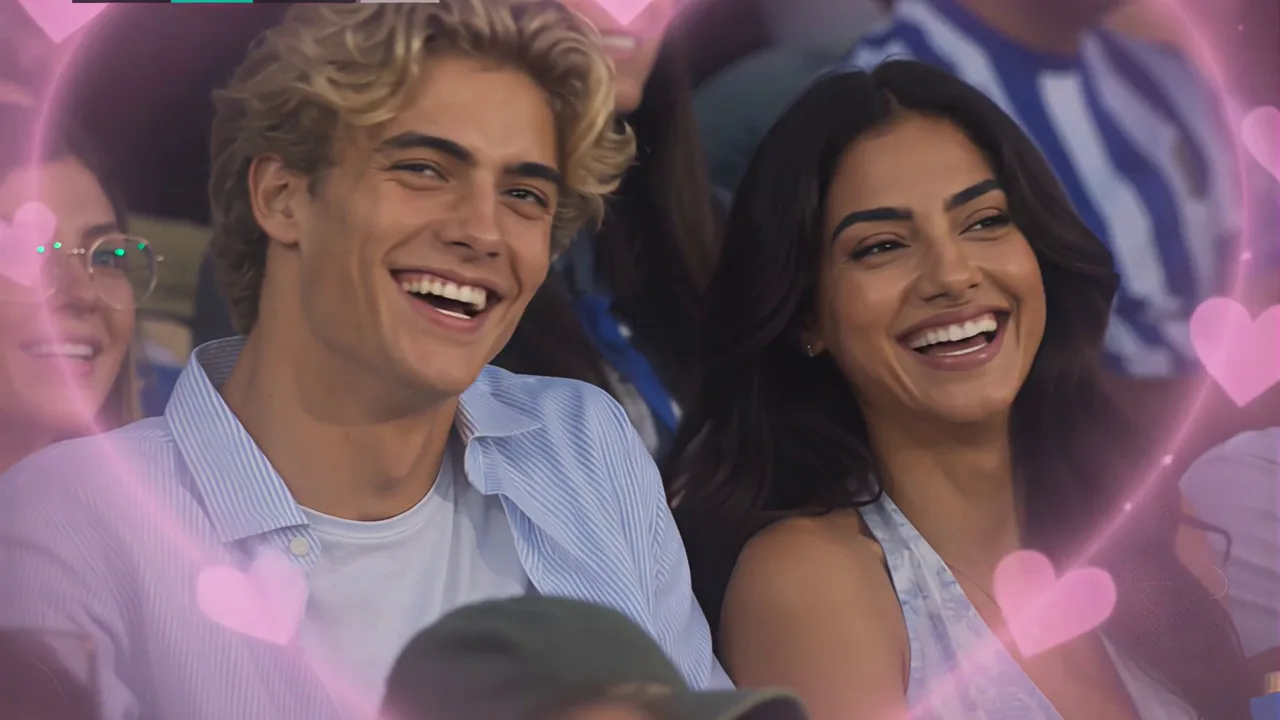
अपनी फ़ोटो के साथ PixVerse का Two in the Stands टेम्पलेट आज़माएं। आधिकारिक प्रॉम्प्ट है “Not staged, just picked by the camera.”। यह तय प्रभाव को इनपुट पर लागू करके साझा करने योग्य सामग्री जल्दी बनाता है।
परिणाम देखें
यह टेम्पलेट क्या है?
Two in the Stands — PixVerse V6 image-to-video template. ज़रूरी फ़ोटो अपलोड करें, टेम्पलेट चुनें और जनरेट करें। प्रॉम्प्ट तय है, इसलिए अतिरिक्त विवरण लिखने की ज़रूरत नहीं है।
टेम्पलेट विवरण
| टेम्पलेट नाम | टेम्पलेट ID |
|---|---|
| टेम्पलेट नाम | Two in the Stands |
| टेम्पलेट ID | 402880241531072 |
| आउटपुट | वीडियो |
| मॉडल | V6 |
| इनपुट | 2 photos |
| अवधि | 8 seconds |
| गुणवत्ता | 360p / 540p / 720p / 1080p |
| Audio | Off |
| कस्टम प्रॉम्प्ट | Off |
| लॉन्च तिथि | May 15 2026 |
आधिकारिक प्रीव्यू
आधिकारिक प्रीव्यू इस टेम्पलेट के निर्धारित प्रभाव को दिखाता है। स्पष्ट विषय वाली साफ़ इनपुट फ़ोटो तैयार करें।
कैसे बनाएं
विषय की स्पष्ट, अच्छी फ़ोटो से शुरू करें। PixVerse टेम्पलेट सेटिंग के अनुसार परिणाम बनाएगा।
- अपलोड करें — add the required input.
- चुनें Two in the Stands — find it in the PixVerse template library or use Template ID
402880241531072. - जनरेट करें — let PixVerse apply the official prompt.
- डाउनलोड करें — save the result and share it.
अक्सर पूछे जाने वाले प्रश्न
Q: आउटपुट? A: वीडियो.
Q: कस्टम प्रॉम्प्ट? A: नहीं.
Q: इनपुट? A: 2 photos.
PixVerse में बनाएं: PixVerse — choose Two in the Stands and generate.